> ## Documentation Index
> Fetch the complete documentation index at: https://docs.qtap.qa/llms.txt
> Use this file to discover all available pages before exploring further.
# Upgrading your plan
> Move to a higher Qtap plan, pick monthly or annual billing, and see exactly what you're charged.
You move up to a higher plan when your current one runs out of room: more locations, staff, loyalty cards, or QR codes than it allows. You upgrade from the Billing page, and the change takes effect right away.
Only the account owner can change the plan. If you're a manager or staff member with billing access, each plan card shows **Contact Owner** instead of an upgrade button. Ask the owner to make the change.
## Open the Plans tab
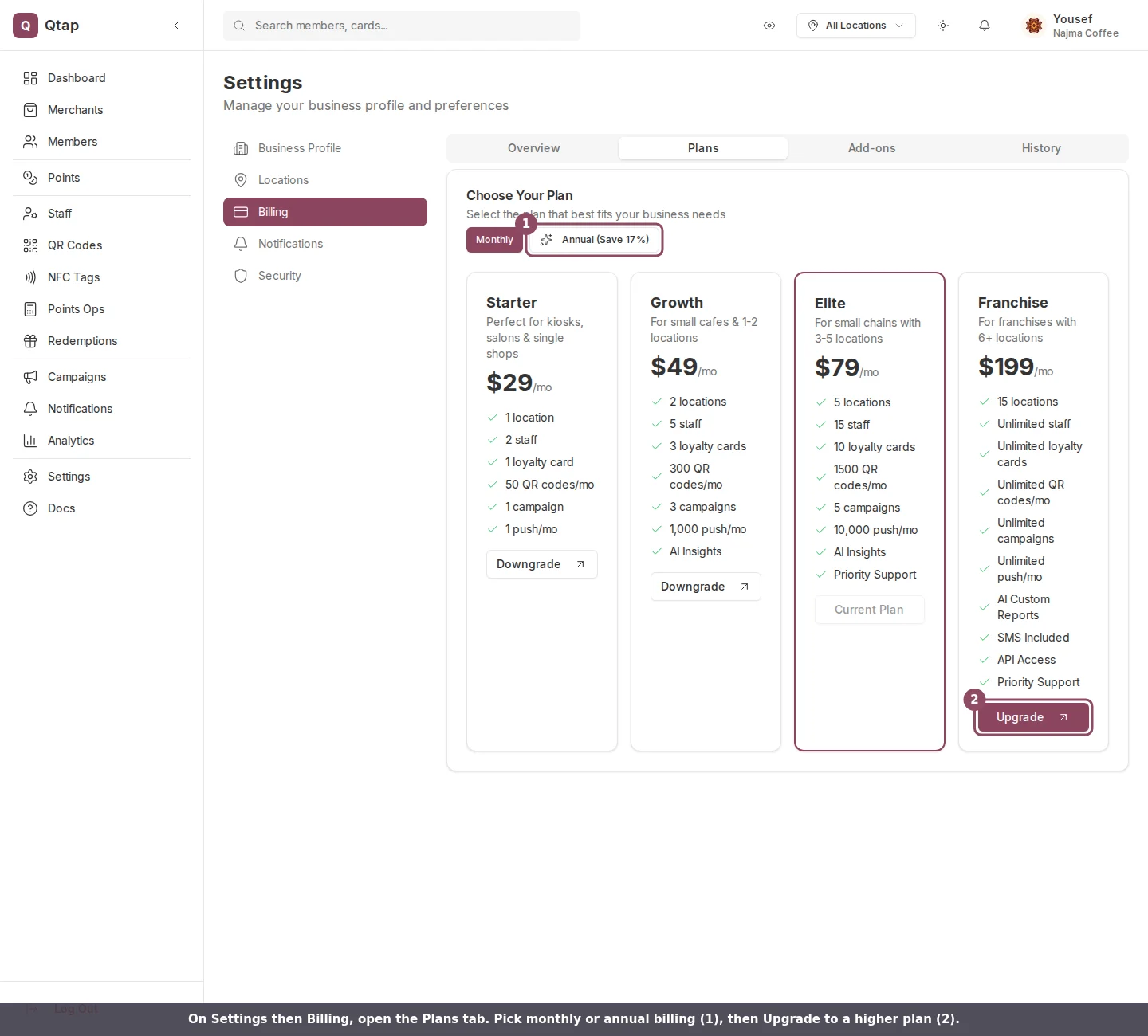
Go to **Settings**, open **Billing**, then select the **Plans** tab. All four plans sit side by side: Starter, Growth, Elite, and Franchise. Your current plan is outlined and its button reads **Current Plan**. Plans above yours show **Upgrade**; plans below show **Downgrade**.
 ## Pick monthly or annual
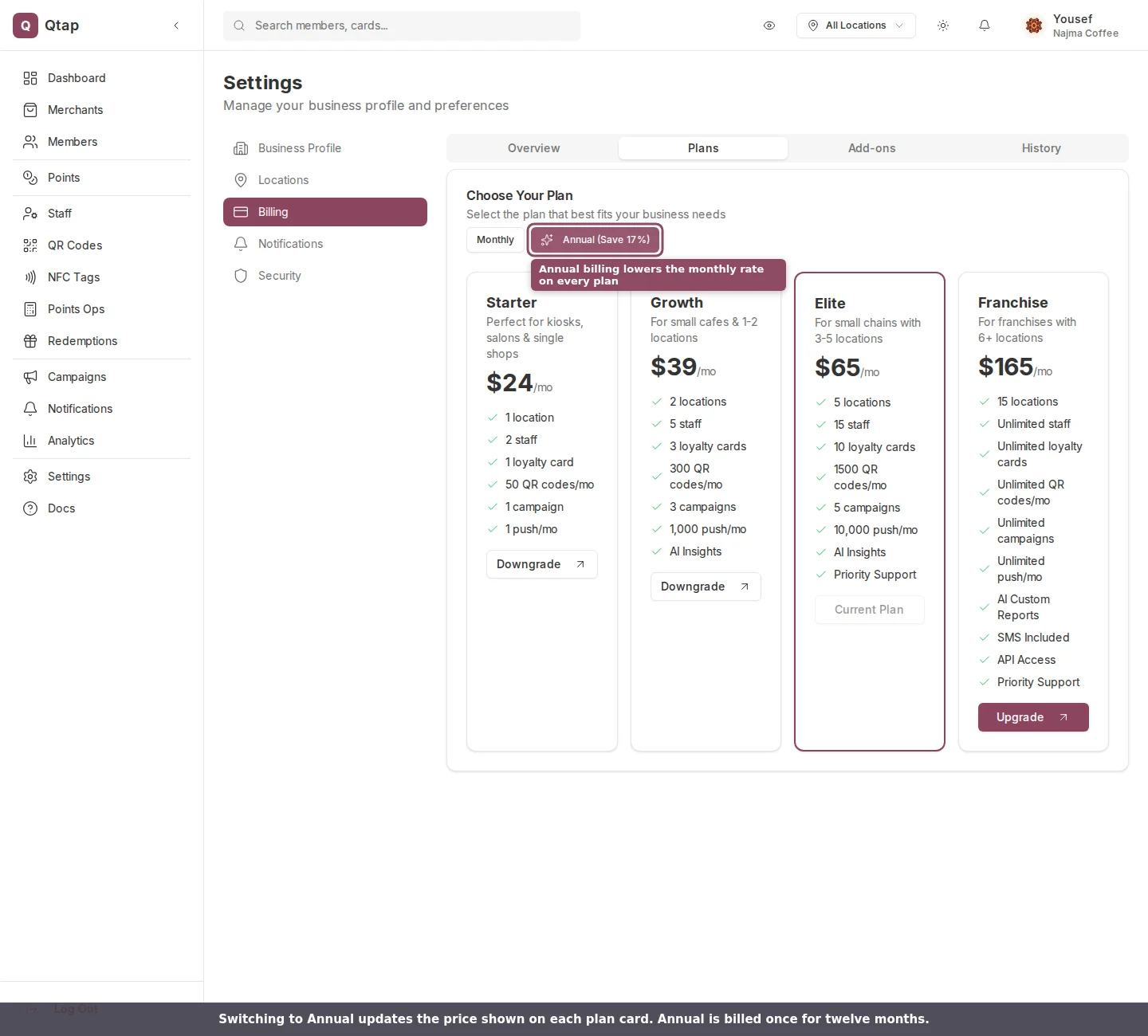
Use the **Monthly / Annual** toggle above the plan cards. Annual billing lowers the monthly rate on every plan and is charged once for twelve months, not as twelve separate monthly payments.
| Plan | Monthly | Annual (per month) |
| --------- | ------- | ------------------ |
| Starter | \$29 | \$24 |
| Growth | \$49 | \$39 |
| Elite | \$79 | \$65 |
| Franchise | \$199 | \$165 |
## Pick monthly or annual
Use the **Monthly / Annual** toggle above the plan cards. Annual billing lowers the monthly rate on every plan and is charged once for twelve months, not as twelve separate monthly payments.
| Plan | Monthly | Annual (per month) |
| --------- | ------- | ------------------ |
| Starter | \$29 | \$24 |
| Growth | \$49 | \$39 |
| Elite | \$79 | \$65 |
| Franchise | \$199 | \$165 |
 ## Confirm the upgrade
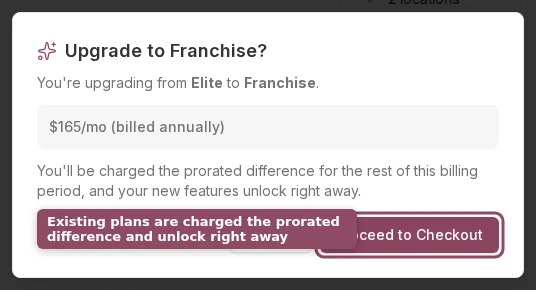
Click **Upgrade** on the plan you want. A confirmation box shows the plan you're moving to and the price for your chosen billing interval. Confirm with **Proceed to Checkout**.
## Confirm the upgrade
Click **Upgrade** on the plan you want. A confirmation box shows the plan you're moving to and the price for your chosen billing interval. Confirm with **Proceed to Checkout**.
 What happens next depends on whether you already pay for a plan:
* If you already have an active paid plan, the change applies immediately. Stripe charges the prorated difference for the rest of your current billing period to the card on file, and your new limits unlock right away.
* If you're subscribing for the first time, for example from a trial with no card saved yet, you go to Stripe's secure checkout page to enter your payment details before the plan starts.
During a free trial, confirming an upgrade ends the trial and starts billing immediately.
If your card is declined, the upgrade doesn't go through and you'll see an error. Update your card and try again.
After a successful upgrade you return to the Billing page with a message confirming your plan has been updated. Your new limits then show in the usage meters on the **Overview** tab.
## Good to know
Upgrades are immediate. Downgrades work differently: Qtap checks your current usage against the lower plan's limits first, and the change is scheduled for the end of your billing period rather than applied at once. See the [Billing page](/merchants/settings/billing) for how downgrades and cancellations work.
View your plan, usage, invoices, and payment method
Add the extra locations a higher plan unlocks
Invite the extra team members your new plan allows
What happens next depends on whether you already pay for a plan:
* If you already have an active paid plan, the change applies immediately. Stripe charges the prorated difference for the rest of your current billing period to the card on file, and your new limits unlock right away.
* If you're subscribing for the first time, for example from a trial with no card saved yet, you go to Stripe's secure checkout page to enter your payment details before the plan starts.
During a free trial, confirming an upgrade ends the trial and starts billing immediately.
If your card is declined, the upgrade doesn't go through and you'll see an error. Update your card and try again.
After a successful upgrade you return to the Billing page with a message confirming your plan has been updated. Your new limits then show in the usage meters on the **Overview** tab.
## Good to know
Upgrades are immediate. Downgrades work differently: Qtap checks your current usage against the lower plan's limits first, and the change is scheduled for the end of your billing period rather than applied at once. See the [Billing page](/merchants/settings/billing) for how downgrades and cancellations work.
View your plan, usage, invoices, and payment method
Add the extra locations a higher plan unlocks
Invite the extra team members your new plan allows