> ## Documentation Index
> Fetch the complete documentation index at: https://docs.qtap.qa/llms.txt
> Use this file to discover all available pages before exploring further.
# Deleting a card or a points program
> What Delete takes with it, what survives, and why Deactivate is usually the button you want.
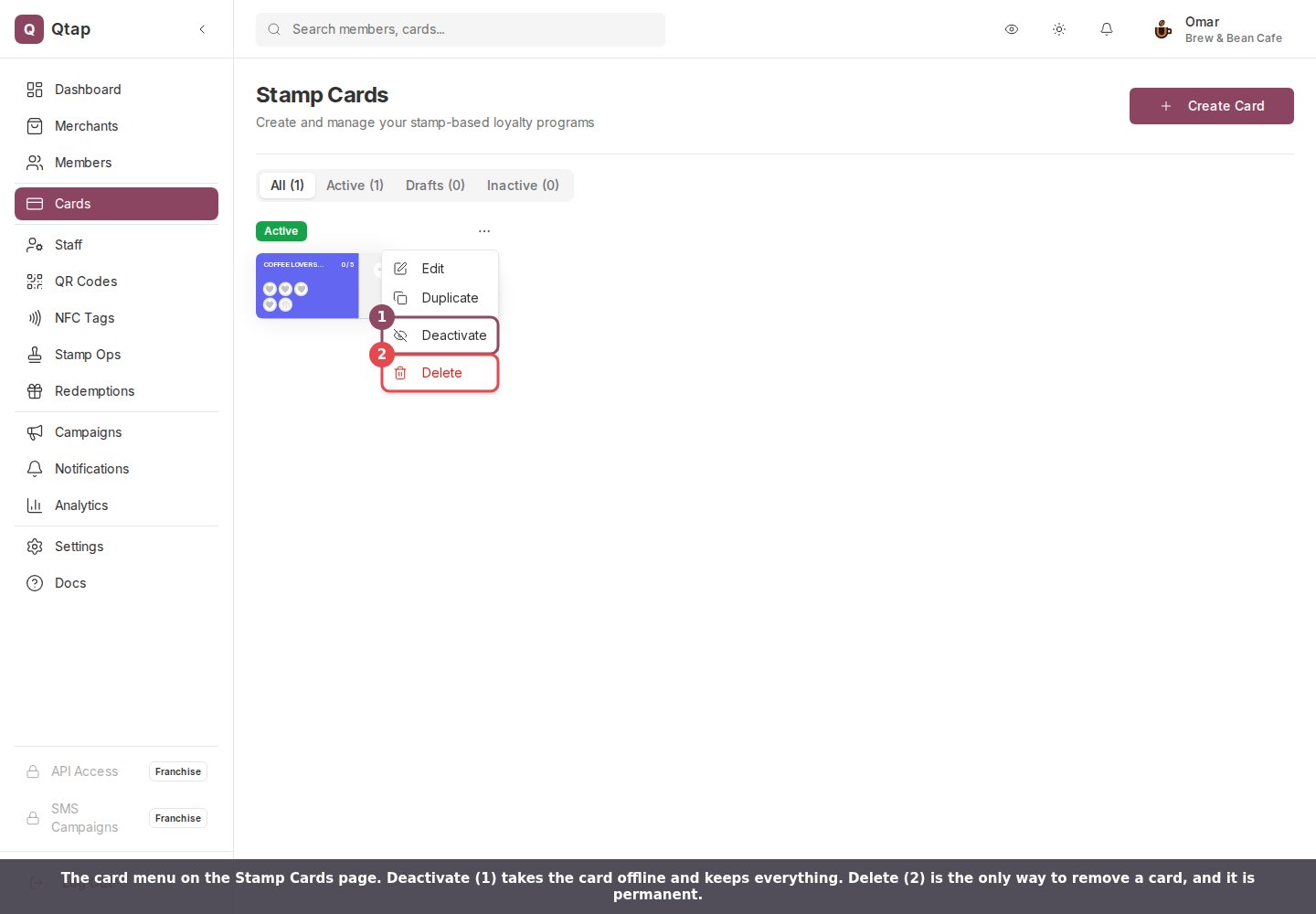
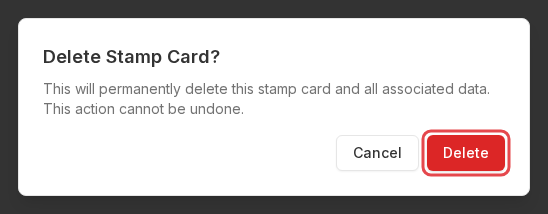
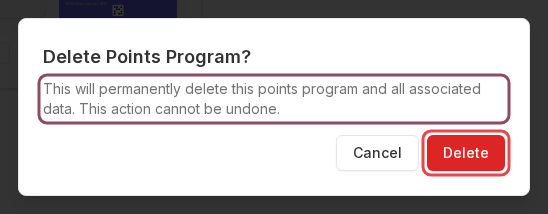
Both the Stamp Cards page and the Points Programs page put **Delete** at the bottom of the card's **⋯** menu. The confirmation says the same thing on either page: this will permanently delete it "and all associated data", and the action cannot be undone. That phrase covers more than most merchants expect it to.
 ## Try Deactivate first
**Deactivate** takes the card offline and leaves every record where it is. Customers stop earning on it, staff see "This stamp card is not currently active" if they try to issue a stamp, and the card drops off your public page. Your settings, rewards, and everyone's progress stay exactly as they were, and **Activate** in the same menu puts it all back.
A points program behaves the same way. Awarding looks for an active program, so a deactivated one stops collecting points while balances sit untouched.
Use Delete only when you want the card gone from your account for good.
## Deleting a stamp card
These go with the card and cannot be recovered:
* Every customer's progress on it. Someone sitting on eight of ten stamps goes back to nothing.
* Rewards they earned from that card and have not collected yet. A banked free coffee disappears from your Redemptions screen before anyone hands it over.
* The card's reward list and all of its settings.
## Try Deactivate first
**Deactivate** takes the card offline and leaves every record where it is. Customers stop earning on it, staff see "This stamp card is not currently active" if they try to issue a stamp, and the card drops off your public page. Your settings, rewards, and everyone's progress stay exactly as they were, and **Activate** in the same menu puts it all back.
A points program behaves the same way. Awarding looks for an active program, so a deactivated one stops collecting points while balances sit untouched.
Use Delete only when you want the card gone from your account for good.
## Deleting a stamp card
These go with the card and cannot be recovered:
* Every customer's progress on it. Someone sitting on eight of ten stamps goes back to nothing.
* Rewards they earned from that card and have not collected yet. A banked free coffee disappears from your Redemptions screen before anyone hands it over.
* The card's reward list and all of its settings.
 What survives: past stamps stay in your reports and your activity log, and your members keep their lifetime totals on the Members page. So the Members page can still credit someone with 40 stamps while their card reads zero.
QR codes and NFC tags built for that card are not deleted, and they stop working. A customer scanning one gets "This QR code is not linked to a stamp card. Please contact the merchant." Reprint anything you have on a table or a window before you delete the card behind it.
## Deleting a points program
A points program takes more with it, because the running record of who earned what belongs to the program rather than to your account.
What survives: past stamps stay in your reports and your activity log, and your members keep their lifetime totals on the Members page. So the Members page can still credit someone with 40 stamps while their card reads zero.
QR codes and NFC tags built for that card are not deleted, and they stop working. A customer scanning one gets "This QR code is not linked to a stamp card. Please contact the merchant." Reprint anything you have on a table or a window before you delete the card behind it.
## Deleting a points program
A points program takes more with it, because the running record of who earned what belongs to the program rather than to your account.
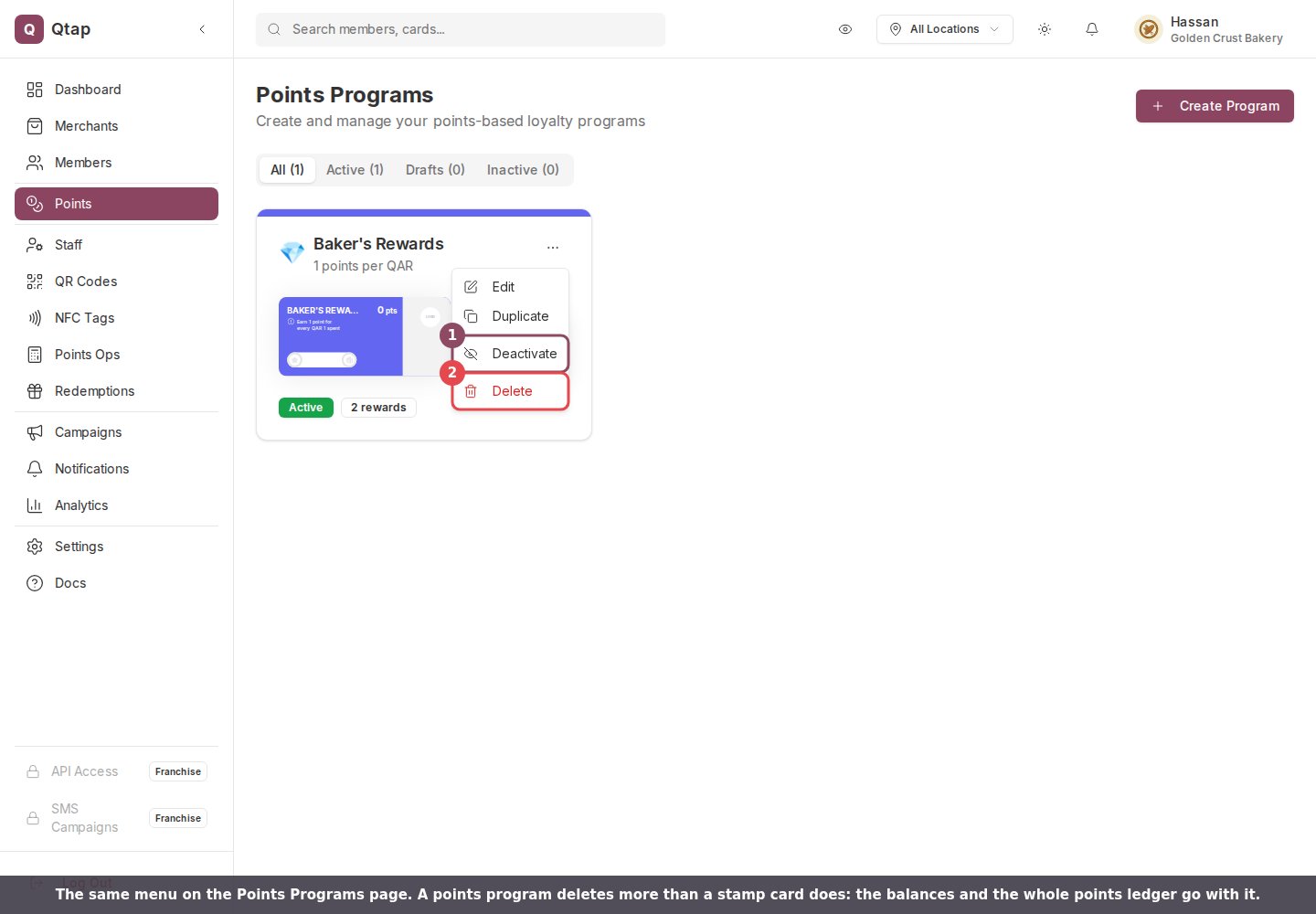 Deleting it removes every balance, every reward waiting to be collected, the reward list, and every points entry ever recorded against the program. Two reports read from those entries, so **Points Activity** and **Revenue Impact** go empty for the period the program covered.
 Points QR codes behave differently from stamp ones. A points code does not remember which program it was made for, so it keeps working and sends its points to whichever program is active when someone scans it. With no active program at all, there is nothing for those points to land in.
 ## Who can do it
Owners and managers, by default. Managers get edit access to cards and programs when you add them, which is enough to reach the page and the menu. Staff cannot open either page unless you grant it. There is no password prompt and nothing to type out, so anyone who can open the page can delete a live card in three clicks.
Change a live card without starting over.
Control who reaches the Cards and Points pages.
This documentation is built and hosted on [Mintlify](https://mintlify.com), a developer documentation platform.
## Who can do it
Owners and managers, by default. Managers get edit access to cards and programs when you add them, which is enough to reach the page and the menu. Staff cannot open either page unless you grant it. There is no password prompt and nothing to type out, so anyone who can open the page can delete a live card in three clicks.
Change a live card without starting over.
Control who reaches the Cards and Points pages.
This documentation is built and hosted on [Mintlify](https://mintlify.com), a developer documentation platform.