> ## Documentation Index
> Fetch the complete documentation index at: https://docs.qtap.qa/llms.txt
> Use this file to discover all available pages before exploring further.
# Push notifications vs campaigns
> When to send a one-off push and when to set up an automated campaign, plus the repeat-send rule that separates them.
Both a push notification and a campaign land the same way on a member's phone: a title, a short message, a tap. The difference is who decides when it goes out. With a push, you do. With a campaign, Qtap does, based on a rule you set up once.
Knowing which to reach for saves you from two common mistakes: building an automated campaign for a message you only need to send today, or hand-sending the same reminder over and over when a campaign would have done it for you.
## A push notification: you send it
A push notification is a one-off. You write the title and message, choose who receives it, and send it now or schedule it for a single future time. When it's gone, it's gone. There are no triggers and nothing repeats.
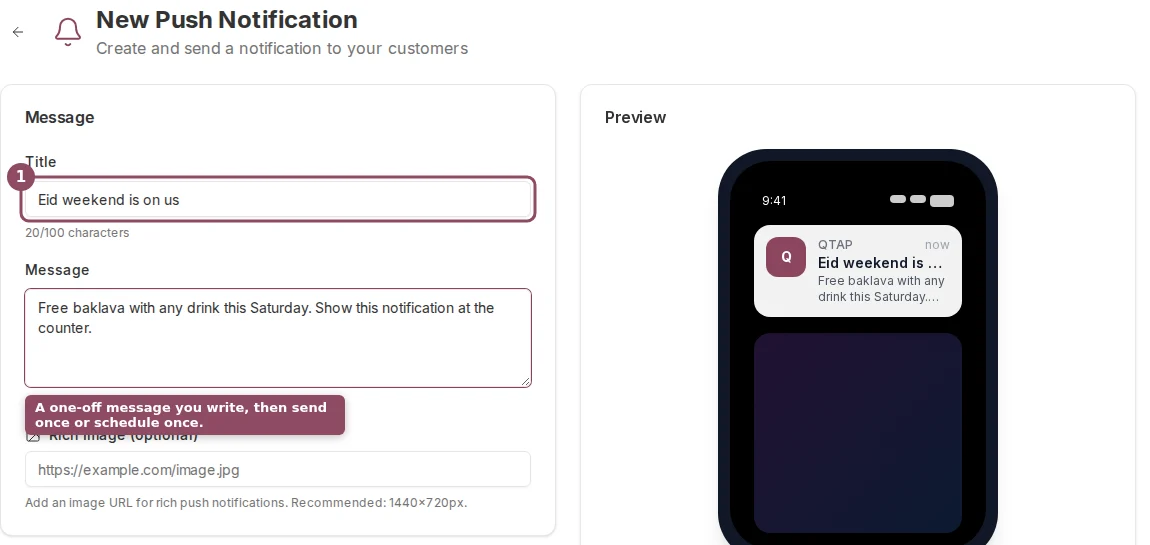 Reach for a push when the message is tied to a moment: a same-day offer, a one-time announcement, a closure notice, or a quick note to a single customer about their account. Push notifications live on the **Notifications** page in the sidebar. The how-to is in [Push notifications](/merchants/campaigns/push-notifications).
## A campaign: Qtap sends it
A campaign runs on its own. You set a condition once, such as a birthday this week, 60 days without a visit, or a total-stamps milestone. While the campaign is active, Qtap checks your members about every 15 minutes and sends the message to anyone who newly matches.
Reach for a push when the message is tied to a moment: a same-day offer, a one-time announcement, a closure notice, or a quick note to a single customer about their account. Push notifications live on the **Notifications** page in the sidebar. The how-to is in [Push notifications](/merchants/campaigns/push-notifications).
## A campaign: Qtap sends it
A campaign runs on its own. You set a condition once, such as a birthday this week, 60 days without a visit, or a total-stamps milestone. While the campaign is active, Qtap checks your members about every 15 minutes and sends the message to anyone who newly matches.
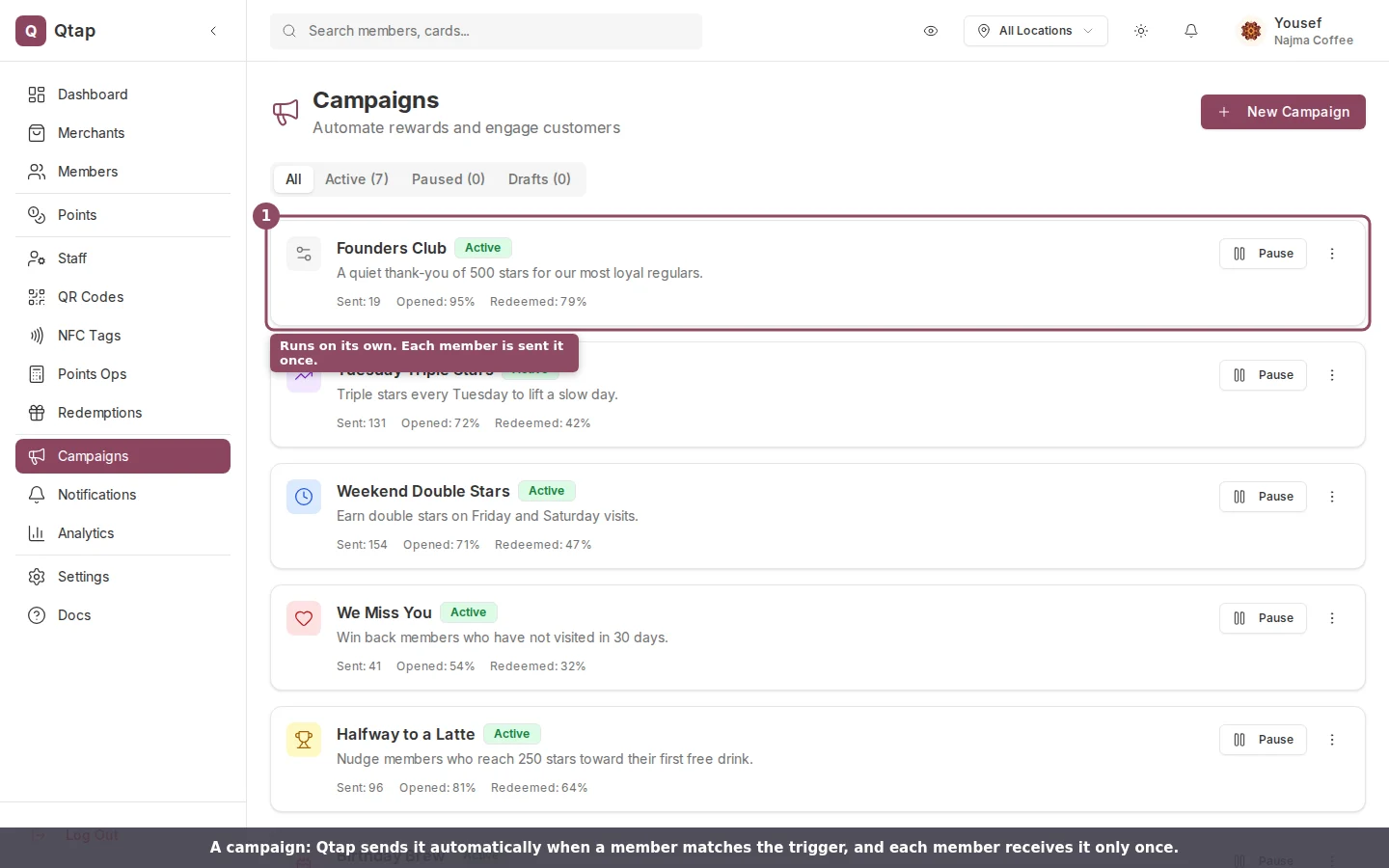 Reach for a campaign when the message should keep going out to whoever qualifies, without you watching for it. Campaigns live on the **Campaigns** page. See [Campaigns overview](/merchants/campaigns/overview) to set one up.
## The rule that separates them
The behavior that catches people out is repeats.
A campaign sends each member a given campaign **once**. Qtap records who has already received it, so when the 15-minute check runs again, members who got it are skipped. (Birthday and win-back campaigns are the exceptions: they can send again after a set time, by design. [Campaign timing](/merchants/campaigns/timing) covers this.)
A push notification has **no such guard**. If you send the same push twice, every member in the audience gets it twice. That's useful when you mean to repeat a reminder, and a trap when you don't. Send deliberately.
Reach for a campaign when the message should keep going out to whoever qualifies, without you watching for it. Campaigns live on the **Campaigns** page. See [Campaigns overview](/merchants/campaigns/overview) to set one up.
## The rule that separates them
The behavior that catches people out is repeats.
A campaign sends each member a given campaign **once**. Qtap records who has already received it, so when the 15-minute check runs again, members who got it are skipped. (Birthday and win-back campaigns are the exceptions: they can send again after a set time, by design. [Campaign timing](/merchants/campaigns/timing) covers this.)
A push notification has **no such guard**. If you send the same push twice, every member in the audience gets it twice. That's useful when you mean to repeat a reminder, and a trap when you don't. Send deliberately.
 ## Side by side
| | Push notification | Campaign |
| -------------- | --------------------------------------- | --------------------------------------- |
| What starts it | You click Send | A member matches a condition |
| Timing | Now, or scheduled once | Checked every \~15 minutes while active |
| Repeats | No guard, sends again if you send again | Once per member |
| Best for | A one-time, time-sensitive message | Ongoing, condition-based outreach |
| Where it lives | Notifications page | Campaigns page |
## Worth knowing
Both reach only members who have the Qtap app installed and push turned on. A member without the app, or who has muted notifications, won't see either one, so your sent count is often lower than your member count.
Both are limited to owners and managers. Staff don't have access to the Notifications or Campaigns pages by default.
Keep manual pushes occasional. A member who gets a one-time push from you every day will start ignoring all of them, which then weakens your campaigns too. Save the push for when you genuinely have something to say today.
Write and send a one-off push, with audience segments and personalization.
Set up an automated campaign and choose its trigger.
## Side by side
| | Push notification | Campaign |
| -------------- | --------------------------------------- | --------------------------------------- |
| What starts it | You click Send | A member matches a condition |
| Timing | Now, or scheduled once | Checked every \~15 minutes while active |
| Repeats | No guard, sends again if you send again | Once per member |
| Best for | A one-time, time-sensitive message | Ongoing, condition-based outreach |
| Where it lives | Notifications page | Campaigns page |
## Worth knowing
Both reach only members who have the Qtap app installed and push turned on. A member without the app, or who has muted notifications, won't see either one, so your sent count is often lower than your member count.
Both are limited to owners and managers. Staff don't have access to the Notifications or Campaigns pages by default.
Keep manual pushes occasional. A member who gets a one-time push from you every day will start ignoring all of them, which then weakens your campaigns too. Save the push for when you genuinely have something to say today.
Write and send a one-off push, with audience segments and personalization.
Set up an automated campaign and choose its trigger.