> ## Documentation Index
> Fetch the complete documentation index at: https://docs.qtap.qa/llms.txt
> Use this file to discover all available pages before exploring further.
# Editing a Points Program
> Change the rate, rewards, color, or rules of a points program after it goes live.
You can change a points program at any time, even after members have joined it. Go to **Points** in the left sidebar, find the program, and open its editor.
## Open the editor
Open the **⋯** menu on the program card and choose **Edit**. Clicking the card preview opens the same editor.
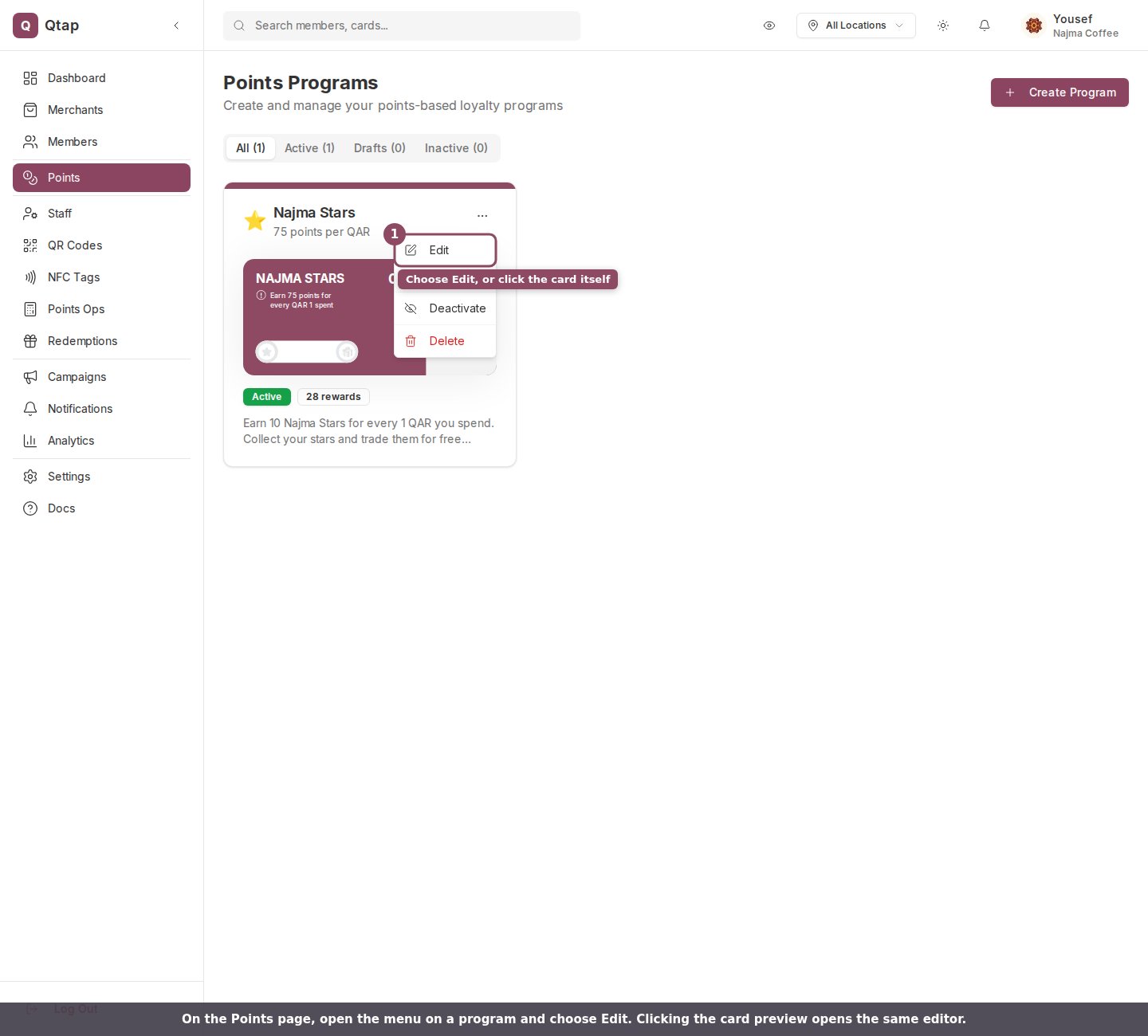 The same **⋯** menu also has **Duplicate**, a status switch (**Publish**, **Deactivate**, or **Activate**), and **Delete**. Use **Deactivate** when you only want to take a program offline for a while and keep its settings.
## What you can change
The editor opens with every setting filled in from the current program. The page is titled **Edit Points Program**, and on a wide screen a live preview of the member card sits beside the form and updates as you type.
The same **⋯** menu also has **Duplicate**, a status switch (**Publish**, **Deactivate**, or **Activate**), and **Delete**. Use **Deactivate** when you only want to take a program offline for a while and keep its settings.
## What you can change
The editor opens with every setting filled in from the current program. The page is titled **Edit Points Program**, and on a wide screen a live preview of the member card sits beside the form and updates as you type.
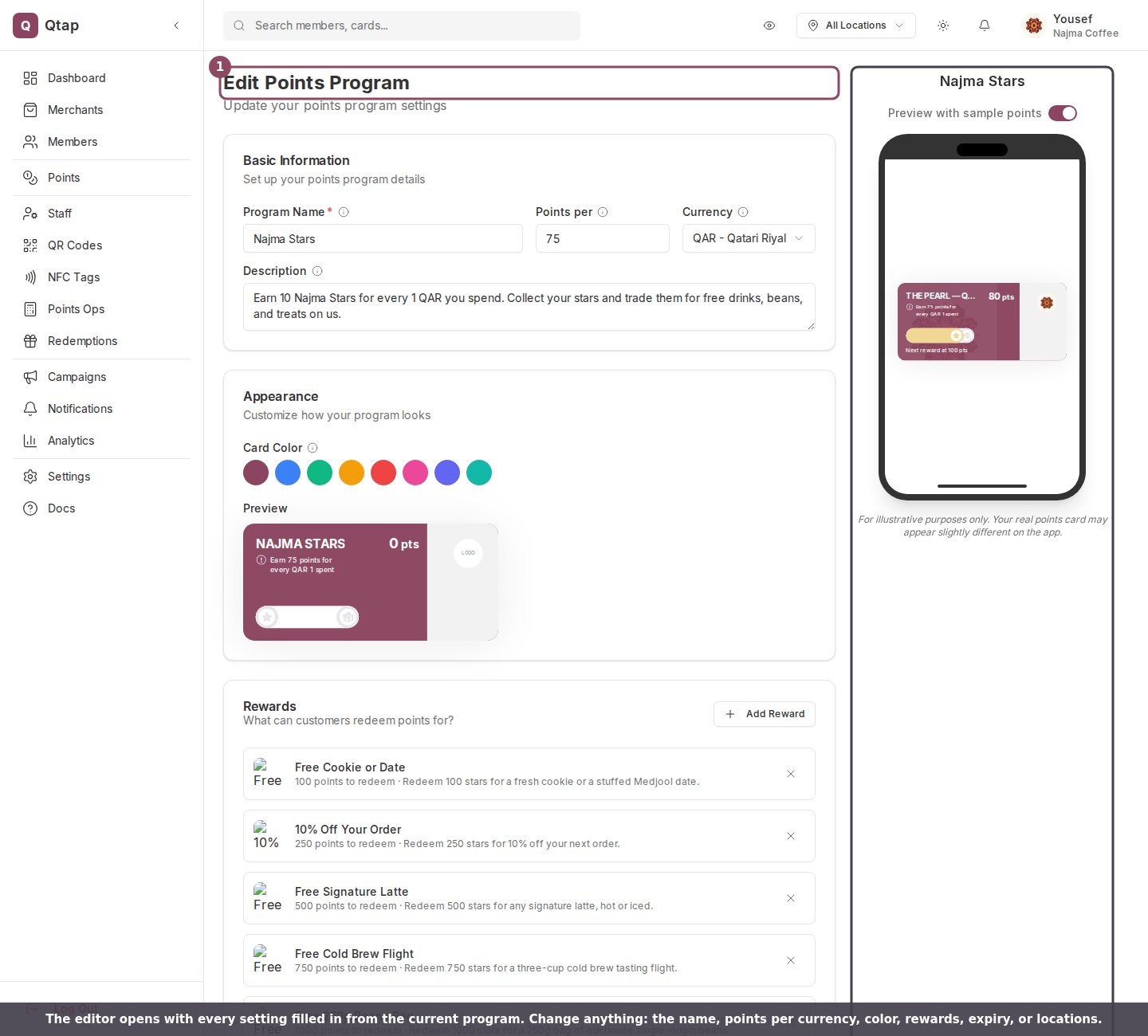 You can change any field:
* **Program Name**, **Points per** currency, **Currency**, and **Description**
* **Card Color** under Appearance
* **Rewards** members can redeem
* **Locations** where the program is valid
* **Points Expiry**, **Availability Period**, and the **Max points per visit** limit
* **Terms & Conditions** and **FAQs**
Changing the **Points per** rate only affects points earned from that moment on. Points members have already earned stay as they are.
## Editing rewards
The Rewards card lists every reward on the program. Click a reward to edit its name, points needed, image, or staff note, or use the **×** to remove it. **Add reward** adds a new one. This is the same reward editor you used when creating the program.
You can change any field:
* **Program Name**, **Points per** currency, **Currency**, and **Description**
* **Card Color** under Appearance
* **Rewards** members can redeem
* **Locations** where the program is valid
* **Points Expiry**, **Availability Period**, and the **Max points per visit** limit
* **Terms & Conditions** and **FAQs**
Changing the **Points per** rate only affects points earned from that moment on. Points members have already earned stay as they are.
## Editing rewards
The Rewards card lists every reward on the program. Click a reward to edit its name, points needed, image, or staff note, or use the **×** to remove it. **Add reward** adds a new one. This is the same reward editor you used when creating the program.
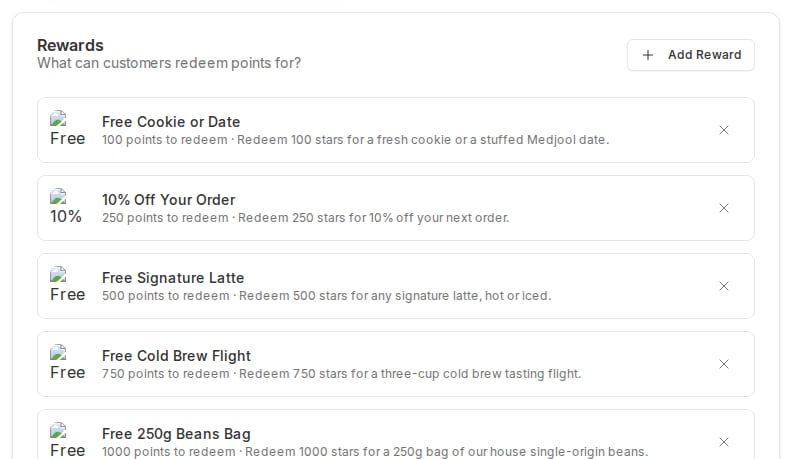 When you save, Qtap replaces the program's whole reward list with the rewards shown in the editor. A reward you removed is gone, so make sure the list reads exactly the way you want before you save.
## Saving your changes
At the bottom of the form, choose how to save.
When you save, Qtap replaces the program's whole reward list with the rewards shown in the editor. A reward you removed is gone, so make sure the list reads exactly the way you want before you save.
## Saving your changes
At the bottom of the form, choose how to save.
 * **Save & Activate** saves your changes and keeps the program live for members. If the program was a draft, this publishes it.
* **Save as Draft** saves your changes but takes the program offline. Members can no longer find or join it until you publish it again.
* **Cancel** discards your changes and returns to the Points page.
**Save as Draft** unpublishes a live program. If you only meant to adjust a setting on a program that should stay active, use **Save & Activate**.
Owners and managers can edit points programs. Staff do not have access to the Points page by default.
Set up a new points program from scratch.
Add and price the rewards members redeem.
* **Save & Activate** saves your changes and keeps the program live for members. If the program was a draft, this publishes it.
* **Save as Draft** saves your changes but takes the program offline. Members can no longer find or join it until you publish it again.
* **Cancel** discards your changes and returns to the Points page.
**Save as Draft** unpublishes a live program. If you only meant to adjust a setting on a program that should stay active, use **Save & Activate**.
Owners and managers can edit points programs. Staff do not have access to the Points page by default.
Set up a new points program from scratch.
Add and price the rewards members redeem.