> ## Documentation Index
> Fetch the complete documentation index at: https://docs.qtap.qa/llms.txt
> Use this file to discover all available pages before exploring further.
# Merchant Page
> How to update your business profile, logo, business hours, social links, and location details in the Qtap dashboard.
The Merchant Page settings control the information Qtap stores about your business. This includes your name and contact details, your logo, business hours, social media links, and operational details like currency and timezone.
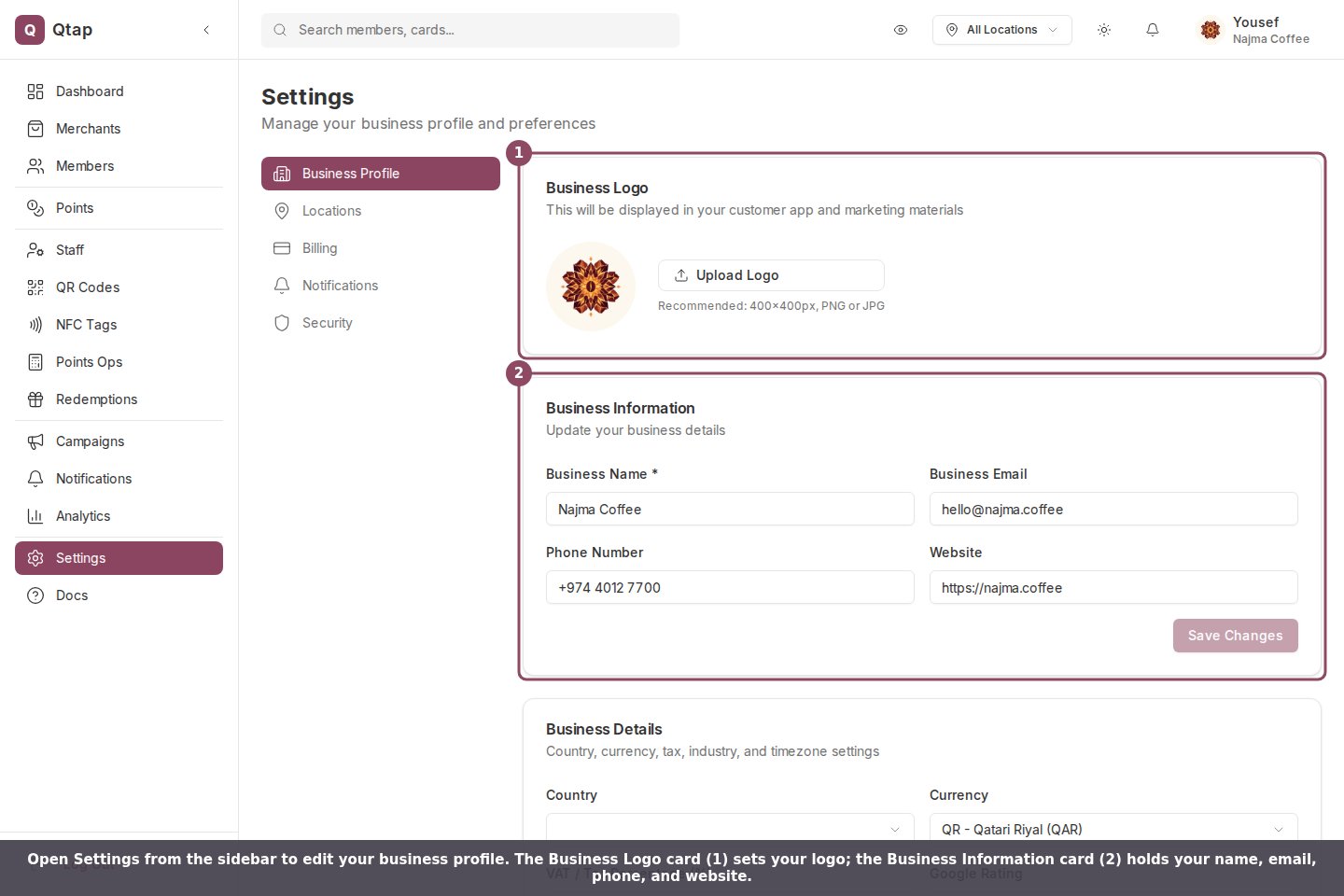
Go to **Settings** in the sidebar to access these fields.
## Basic Business Information
The top section of the settings page has four fields:
* **Name** — your business name as it appears in the dashboard and on member-facing materials
* **Email** — your business contact email
* **Phone** — your business phone number
* **Website** — your business website URL
Make changes to any of these fields and click **Save changes**.
 ## Logo
Below the basic fields, click the logo area or the upload button to select an image file from your computer. Qtap uploads the file and updates your logo immediately. The logo appears in the dashboard header and on your public merchant page.
Accepted formats are JPG and PNG. Use a square image for the best result — logos that are taller or wider than they are square may appear cropped in some views.
## Business Hours
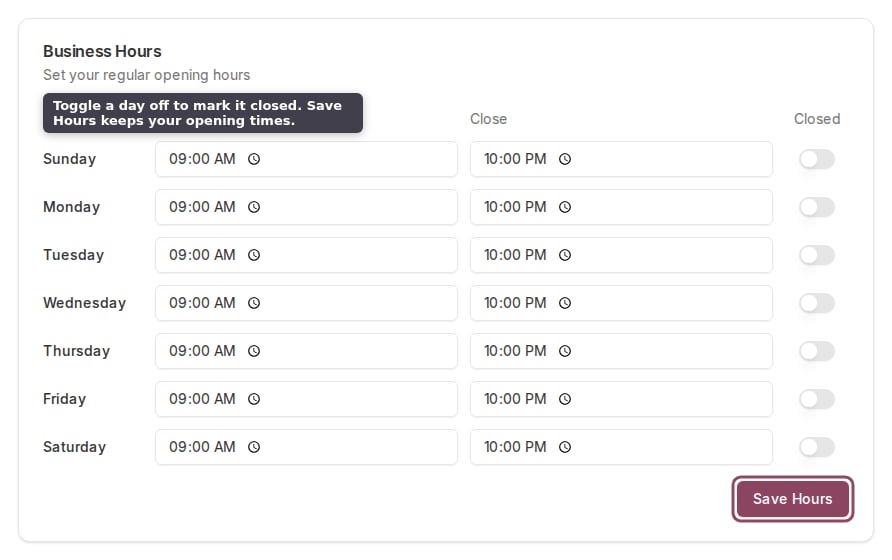
The **Business Hours** section lets you set your opening hours for each day of the week. Toggle a day on to expand it and enter open and close times. Toggle a day off to mark it as closed.
Click **Save extended settings** after making changes here.
## Logo
Below the basic fields, click the logo area or the upload button to select an image file from your computer. Qtap uploads the file and updates your logo immediately. The logo appears in the dashboard header and on your public merchant page.
Accepted formats are JPG and PNG. Use a square image for the best result — logos that are taller or wider than they are square may appear cropped in some views.
## Business Hours
The **Business Hours** section lets you set your opening hours for each day of the week. Toggle a day on to expand it and enter open and close times. Toggle a day off to mark it as closed.
Click **Save extended settings** after making changes here.
 ## Social Links
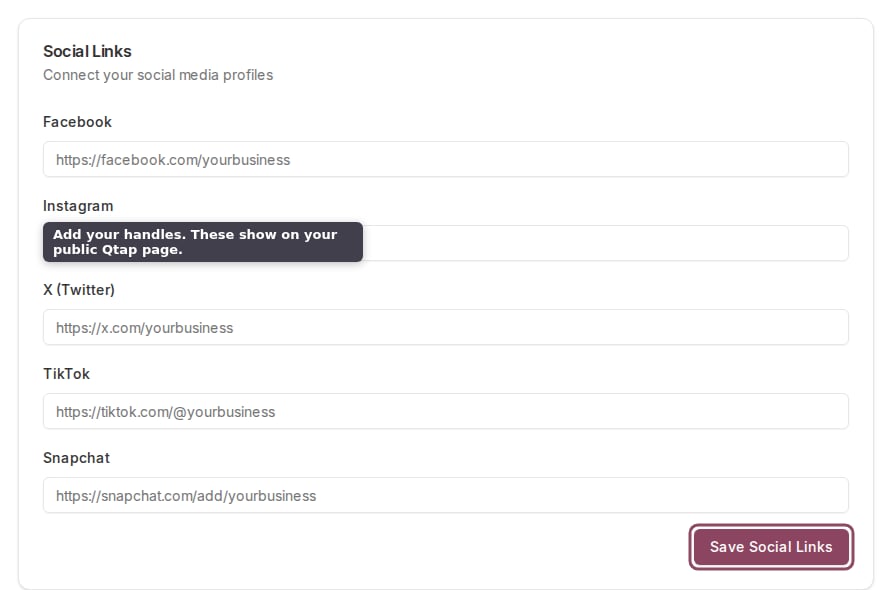
Add your handles or URLs for Facebook, Instagram, Twitter, TikTok, and Snapchat. These appear on your public-facing Qtap merchant page so customers can find you.
Click **Save extended settings** after adding or updating links.
## Social Links
Add your handles or URLs for Facebook, Instagram, Twitter, TikTok, and Snapchat. These appear on your public-facing Qtap merchant page so customers can find you.
Click **Save extended settings** after adding or updating links.
 ## Business Details
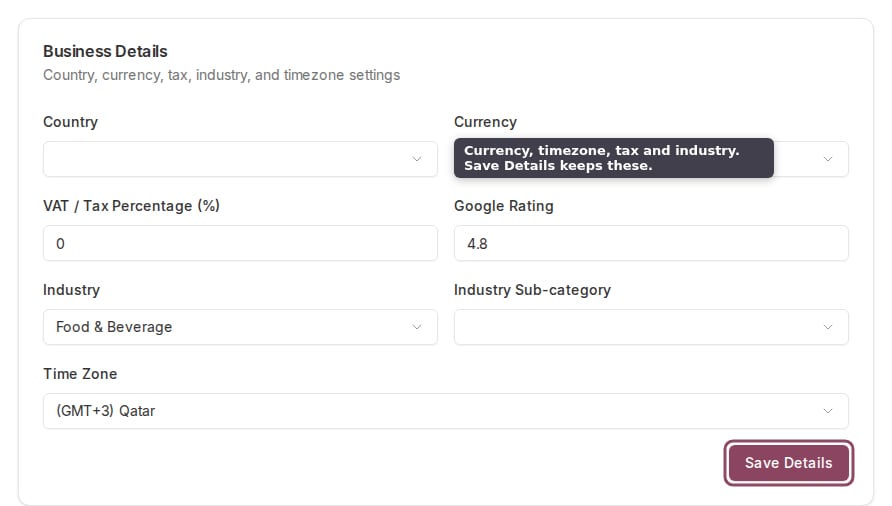
This section includes fields that affect how Qtap formats and categorizes data for your account:
* **Country** — your country of operation
* **Currency** — the currency used on your merchant page (default is QAR)
* **VAT percentage** — your applicable VAT rate, used in any tax-inclusive calculations
* **Industry** and **Industry subcategory** — how your business is categorized
* **Timezone** — controls how timestamps are displayed in the dashboard (default is Asia/Qatar)
* **Google rating** — your current rating, displayed on your public page
Click **Save extended settings** after making any changes.
## Business Details
This section includes fields that affect how Qtap formats and categorizes data for your account:
* **Country** — your country of operation
* **Currency** — the currency used on your merchant page (default is QAR)
* **VAT percentage** — your applicable VAT rate, used in any tax-inclusive calculations
* **Industry** and **Industry subcategory** — how your business is categorized
* **Timezone** — controls how timestamps are displayed in the dashboard (default is Asia/Qatar)
* **Google rating** — your current rating, displayed on your public page
Click **Save extended settings** after making any changes.
 Only owners can access and update Settings. Managers and staff do not have access to this page.
Add and manage the physical branches of your business
Configure push notification settings for your program
Only owners can access and update Settings. Managers and staff do not have access to this page.
Add and manage the physical branches of your business
Configure push notification settings for your program