


The same three actions, two ways to trigger them. What changes is who needs the app and what each one costs you.
How each one works
An NFC tag is a small physical tag you stick on a counter or a table. A customer opens the Qtap app and holds their phone close to it. The app reads the tag and runs the action you set for that tag. A QR code is an image you generate in the dashboard and then print or show on a screen. A customer points their phone camera at it, and a link opens that runs the same kind of action. Both can add a stamp, award points, or record a check-in. You choose the action per tag or per code.Who can use them
Earning from a tap needs the Qtap app. The tap has to carry the customer’s account with it, so no stamp lands and no points move unless the app is the one reading the tag. The customer still sees something. Each tag holds a web address, and a phone that cannot pass that address to the Qtap app opens it in a browser instead. The page reads You tapped a Qtap tag, tells the customer to open the app and tap again, and offers a Get the Qtap app button. The page writes nothing back to Qtap, so the tap never reaches the tag’s Taps count either.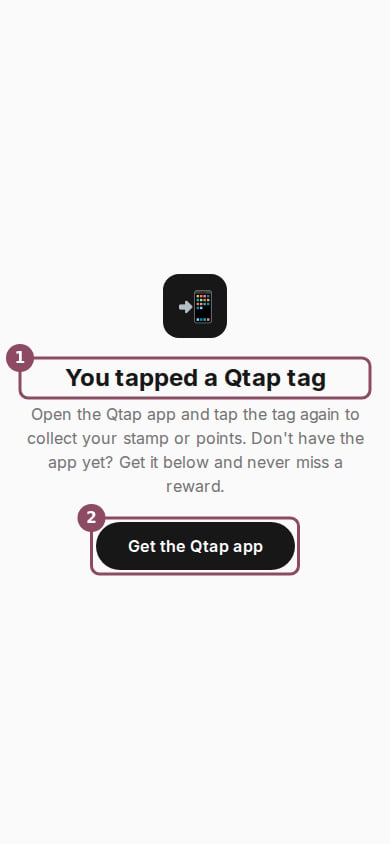
What a phone without the Qtap app shows after a tap. Every tag shows this same page.
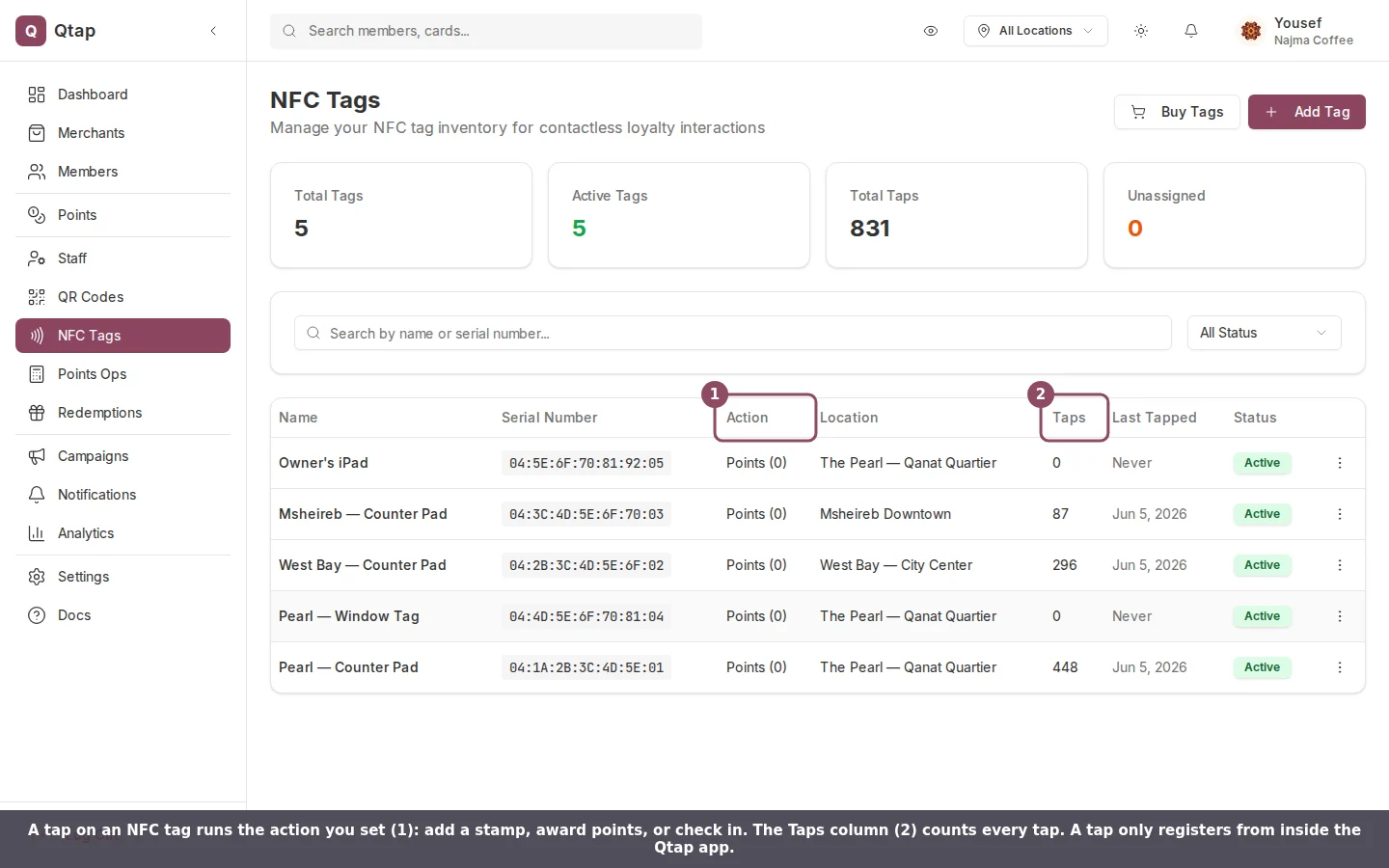
On the NFC Tags page, each tag lists the action a tap runs and how many times it has been tapped.
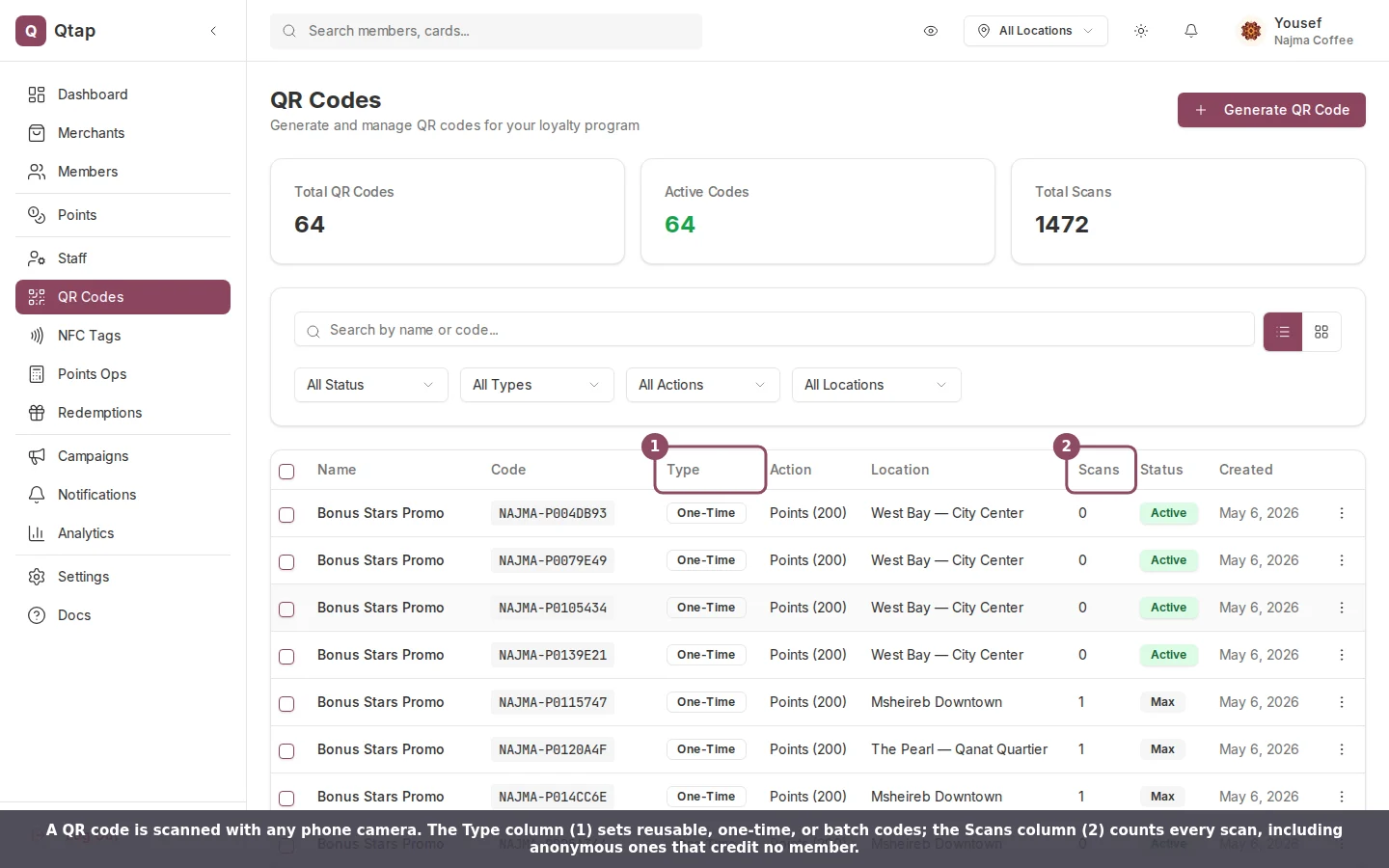
On the QR Codes page, the Type column sets reusable, one-time, or batch codes, and the Scans column counts every scan.
What they cost
NFC tags are physical items you buy. Order them under Settings → Billing at $19 per tag, then register each one by entering its serial number. QR codes are free to generate in the dashboard and count against your plan’s monthly allowance. You can make a code reusable, make it one-time so it stops working after a single scan, or generate a batch at once. You can also set an expiry date or a scan limit on a code.A tap and a scan run the same earning rules, so a points-multiplier campaign like double points on Tuesdays reaches your tap customers too, and a completed card or a birthday reward lands either way. The rule that does treat them differently is the stamp cap: a tag adds at most one stamp per card per customer per day, while a QR code has no daily cap. See How a tap works for the detail.
Which one to choose
Reach for an NFC tag when your regulars already have the app and you want the quickest action at the counter. One tap and the stamp is in, and a physical tag feels premium next to the till. Reach for a QR code when you want to reach anyone with a phone, print on a poster, a receipt, a table tent, or a shop window, or run a one-time or time-limited promotion. Plenty of merchants use both: a counter tag for regulars, and a printed code that first-time visitors can scan before they have the app.NFC Tags
Buy, register, and manage the tags in your locations.
QR Codes Overview
How QR codes work, the types available, and how to manage them.
QR Code Actions
What a scan does: add a stamp, award points, or check in.
Stamp Cards
Set up the stamp cards your tags and codes can link to.