

Open the log
Go to Staff in the left sidebar, then click Activity Log in the top right.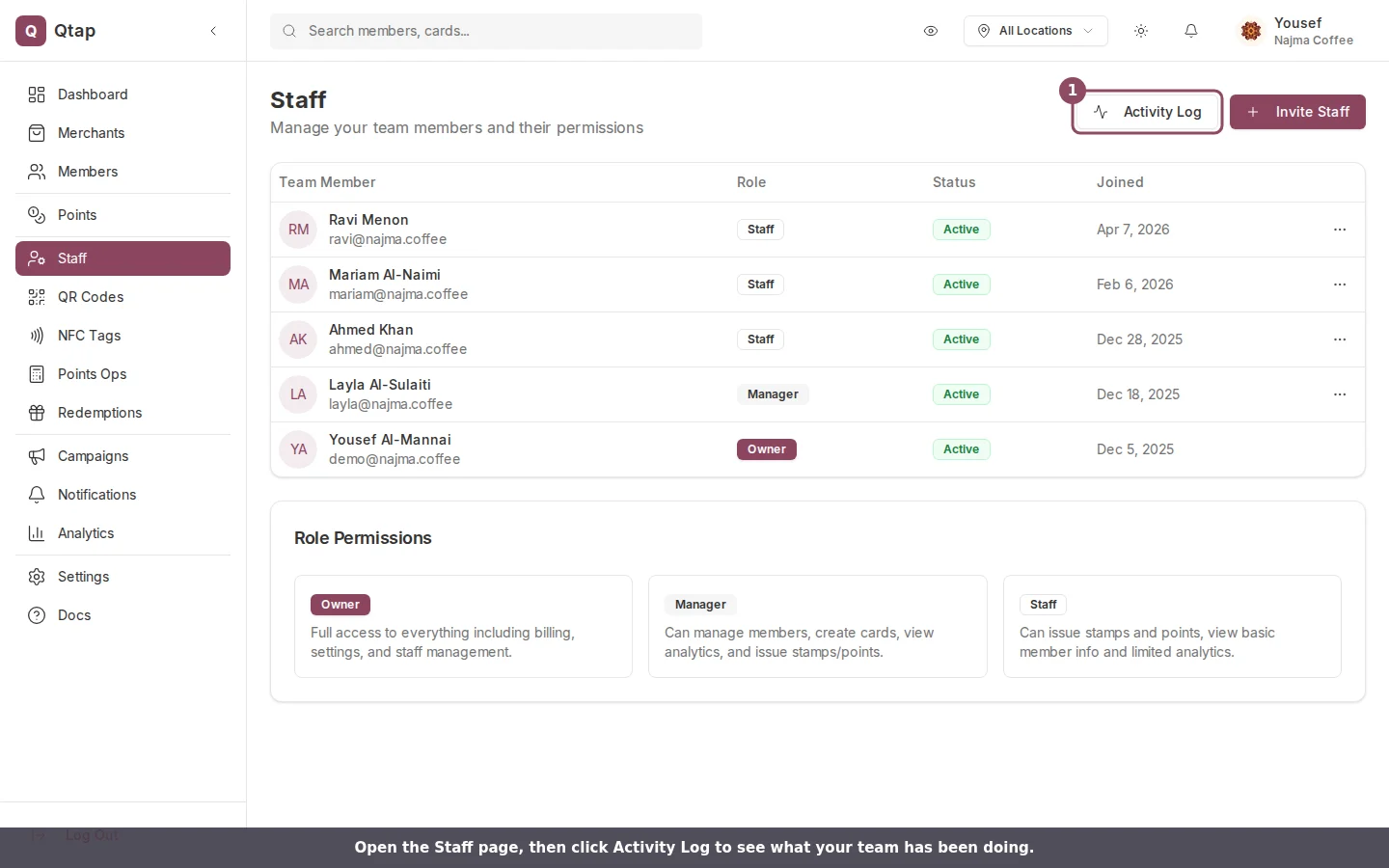
The Activity Log button sits at the top of the Staff page.
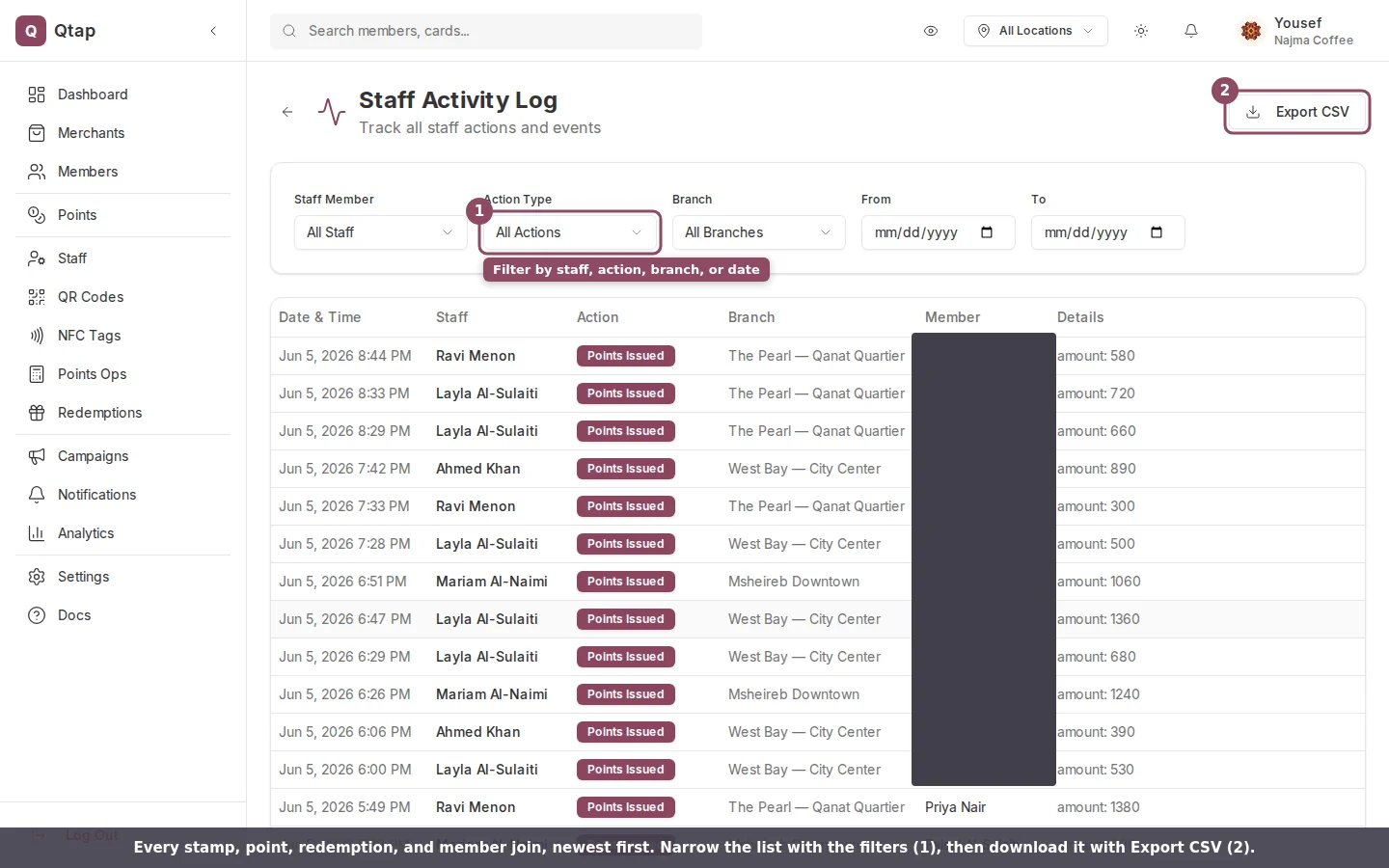
Each row shows when an action happened, who did it, the branch, and the member it involved.
- Date & Time when the action happened.
- Staff the team member who did it. Automated actions, like a campaign going out on schedule, show as System.
- Action what happened, shown as a labelled badge.
- Branch the location it was recorded at.
- Member the customer tied to the action. Shows a dash when no member applies.
- Details extra context, like the number of points awarded.
What gets recorded
The log captures the actions that touch a member: Stamp Issued, Points Issued, Reward Redeemed, Member Joined, and Member Visit. It also records campaign and notification events: Campaign Sent, Campaign Opened, Campaign Redeemed, Notification Sent, Notification Opened, and Notification Clicked.Team changes are not in this log. Inviting a teammate, removing one, or editing someone’s permissions does not show up here. This page covers loyalty actions only.
Filter the list
Use the filters above the table to narrow what you see. You can filter by staff member, by action type, by date range with the From and To fields, and, if your business has more than one location, by branch. A Clear button appears once a filter is set.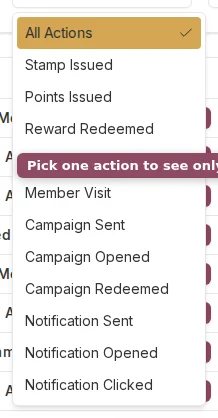
Choose one action type to see only those entries.