

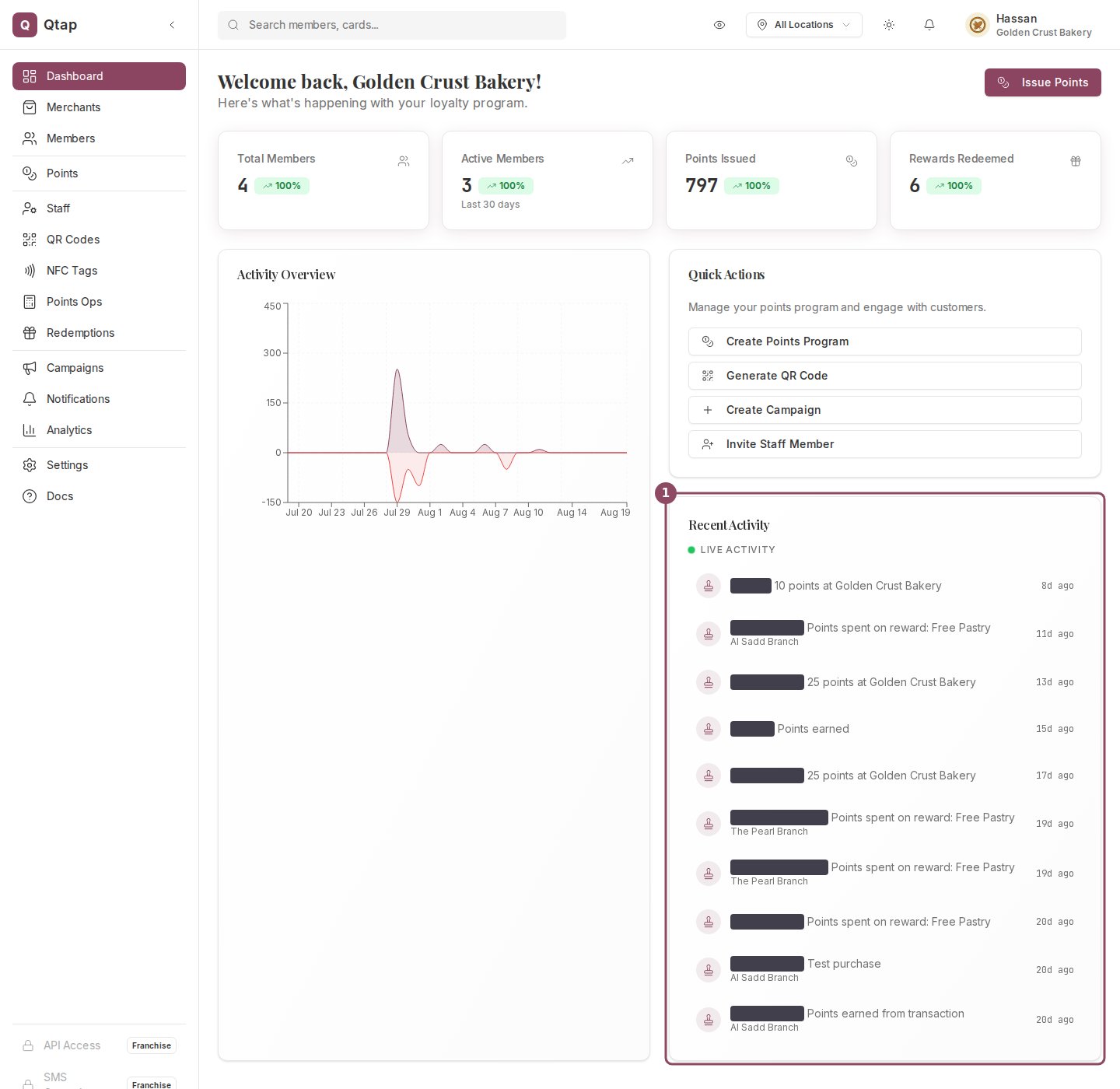
The dashboard home on the Golden Crust Bakery demo account. Recent Activity (1) sits under Quick Actions in the right column. Member names are covered here for privacy.
What each row tells you
A row names the member, says what they did, and shows how long ago it happened. When the visit was recorded at a branch, the branch name sits underneath.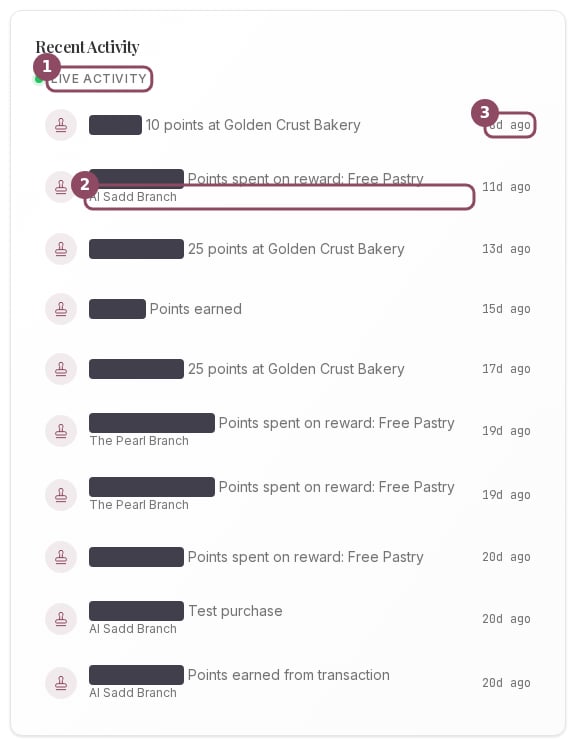
The Recent Activity card. The Live Activity marker (1), the branch a visit was recorded at (2), and how long ago it happened (3). Member names are covered for privacy.
How fresh it is
The card holds the ten most recent visits and refreshes about every 30 seconds on its own. You never need to reload the page. Because of the 30 second refresh, a stamp your colleague just issued at the counter can take up to half a minute to appear. Give it a moment before you issue it a second time.It covers every branch
The feed is for your whole business. Visits from all your branches appear in one list, and the branch name on a row is how you tell them apart. Changing the location picker in the top bar does not narrow it.What it leaves out
The feed is built from member visits: stamps, points earned and spent, rewards redeemed, and new members joining. A stamp or points award your staff records at the counter counts as a visit too, so it shows up here. What the feed leaves out is administrative work: campaigns going out, push notifications, staff invitations, and QR codes being generated. When nothing has happened yet, the card shows No recent activity.On a stamp card program
A stamp business sees the same card with stamp visits in it.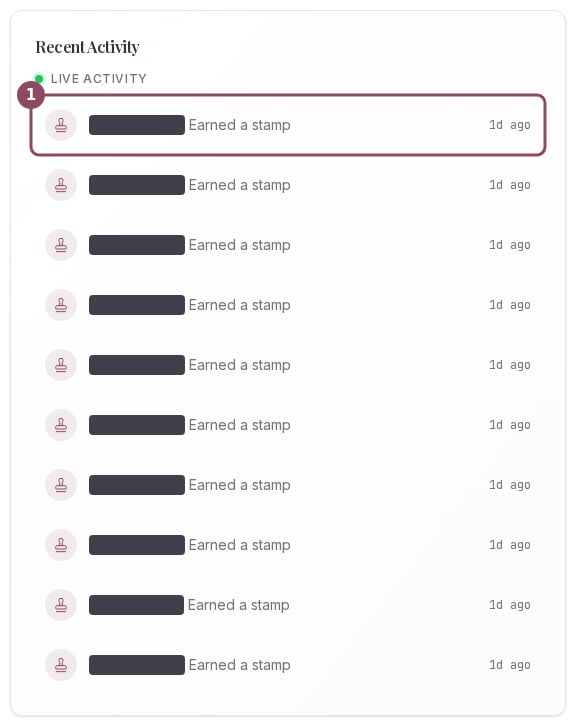
Recent Activity on the Brew & Bean Cafe demo account, a stamp card business. Each row (1) is one stamp earned. Member names are covered for privacy.
Who can see it
Everyone who can log in lands on the dashboard home, so owners, managers, and staff all see the Recent Activity card.For the full history, open the Staff Activity Log. It keeps the 200 most recent actions and lets you filter by staff member, action, branch, and date.
Dashboard Overview
The stat cards, the activity chart, and everything else on your home screen.
Analytics Overview
Totals, trends, and your best members over a period you choose.