

Opening the studio
Go to Cards (or Points on a points account). Each programme in the list shows two previews side by side. The left one is the card as it looks inside the Qtap app. The right one, labelled Wallet pass, opens the design studio.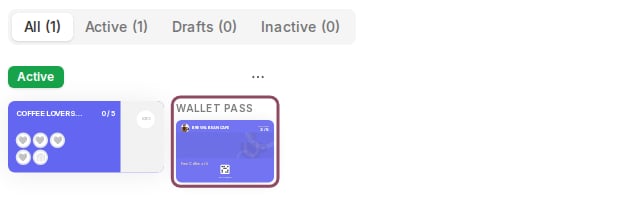
On the Cards list, the Wallet pass preview opens the design studio for that programme.
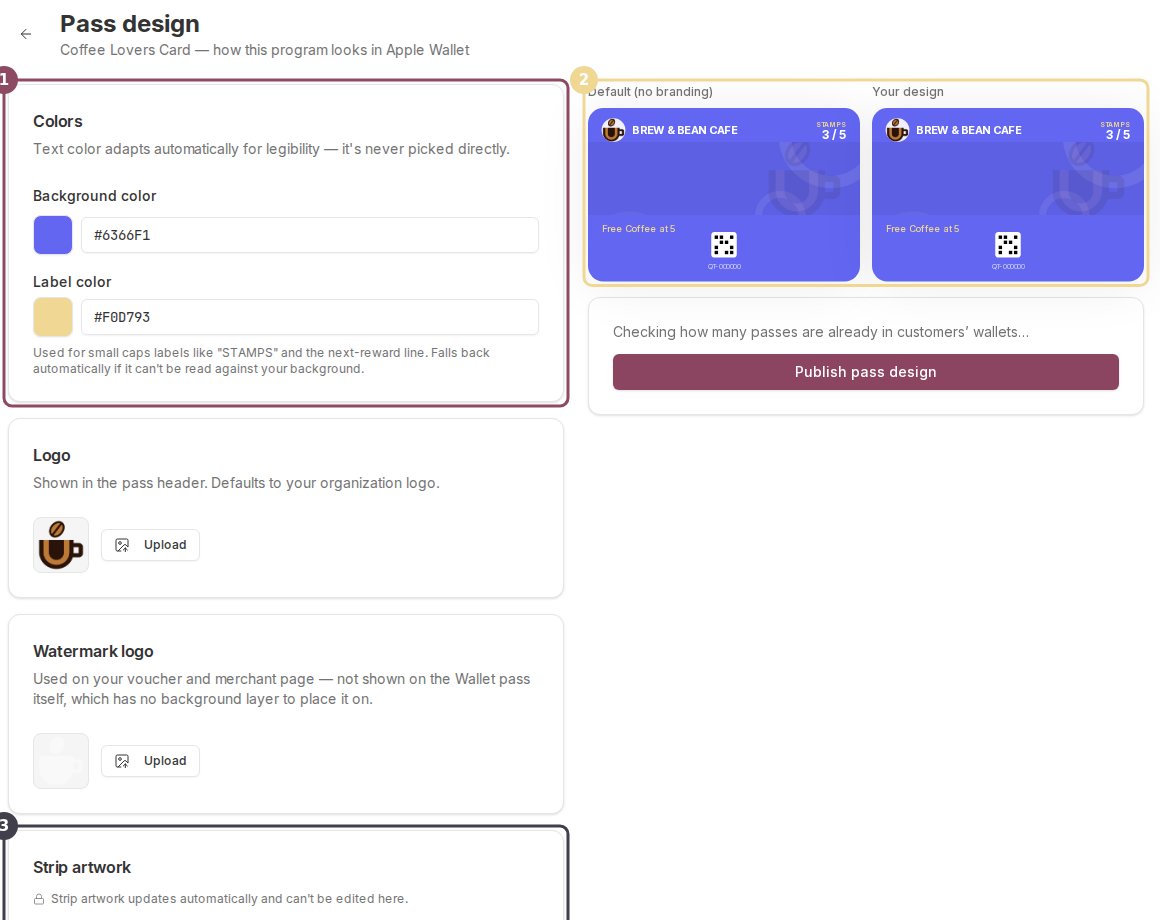
The studio: colour and image controls on the left (1), a live before-and-after preview on the right (2), and the locked strip artwork panel (3).
Colours
Background colour is the whole face of the pass. Leave it and the pass falls back to your programme’s card colour. Label colour is used for the small caps headings like STAMPS and for the next-reward line at the bottom. It starts on the Qtap gold.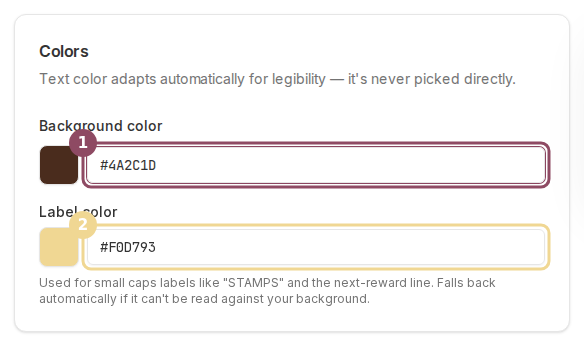
Type a hex code or pick from the swatch. Background colour (1) and label colour (2) are the only two colours you choose.
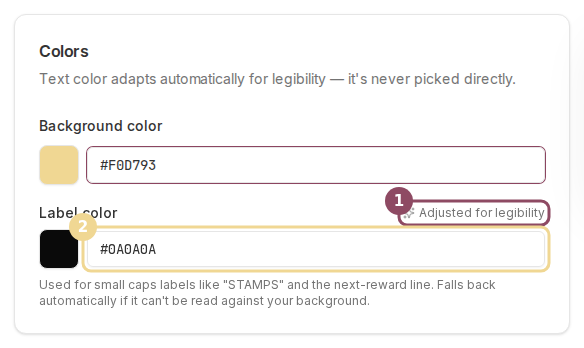
A gold label on a gold background cannot be read, so Qtap replaced it with near-black and said so (1). The field now holds the colour it will actually save (2).
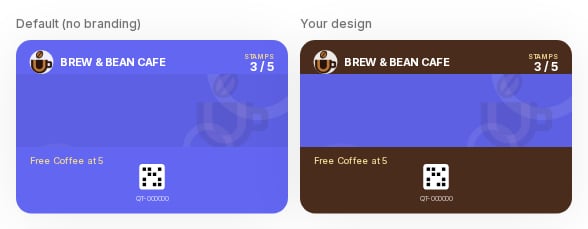
The two previews after setting a brown background. The business name reads white, and the gold label carries the STAMPS heading and the reward line.
Logo and images
Logo is the round mark in the pass header. It uses your business logo unless you upload something else here. Files must be PNG or JPEG and under 1 MB. Once you have uploaded one, a Use default button appears to put your business logo back. Watermark logo does not appear on the Wallet pass at all. It is used on your vouchers and your merchant page, and it sits in this studio because it is the same kind of asset. Strip artwork is the band across the middle of the pass. Qtap generates it from your programme and updates it as a customer’s progress changes, so there is nothing to edit.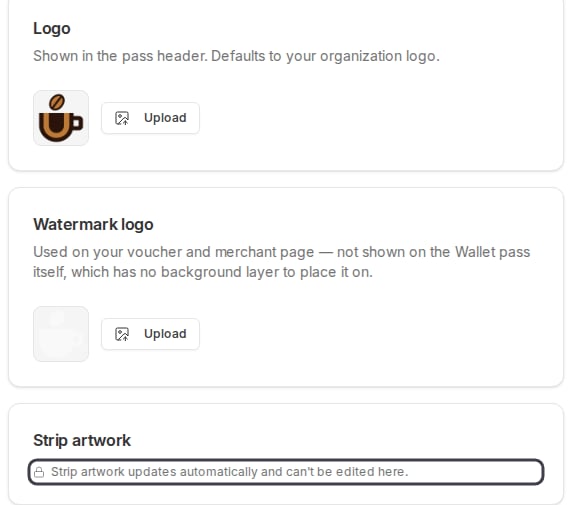
The logo, watermark and strip panels. The strip band is generated for you.
Publishing
Nothing is saved until you press Publish pass design, so leaving the page drops your changes. The line above the button tells you how many passes are already in customers’ wallets and will be updated. Publishing writes the design and then pushes it out. A pass registered for updates on a phone changes within moments. Any other pass picks up the new look the next time it syncs.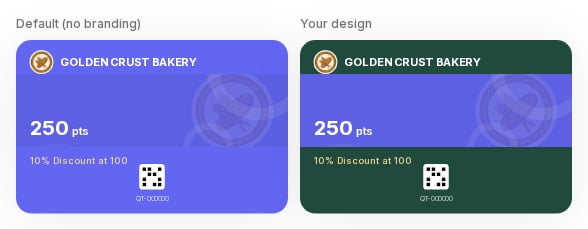
The same programme on a points account. The balance and the next reward sit on the pass face.