

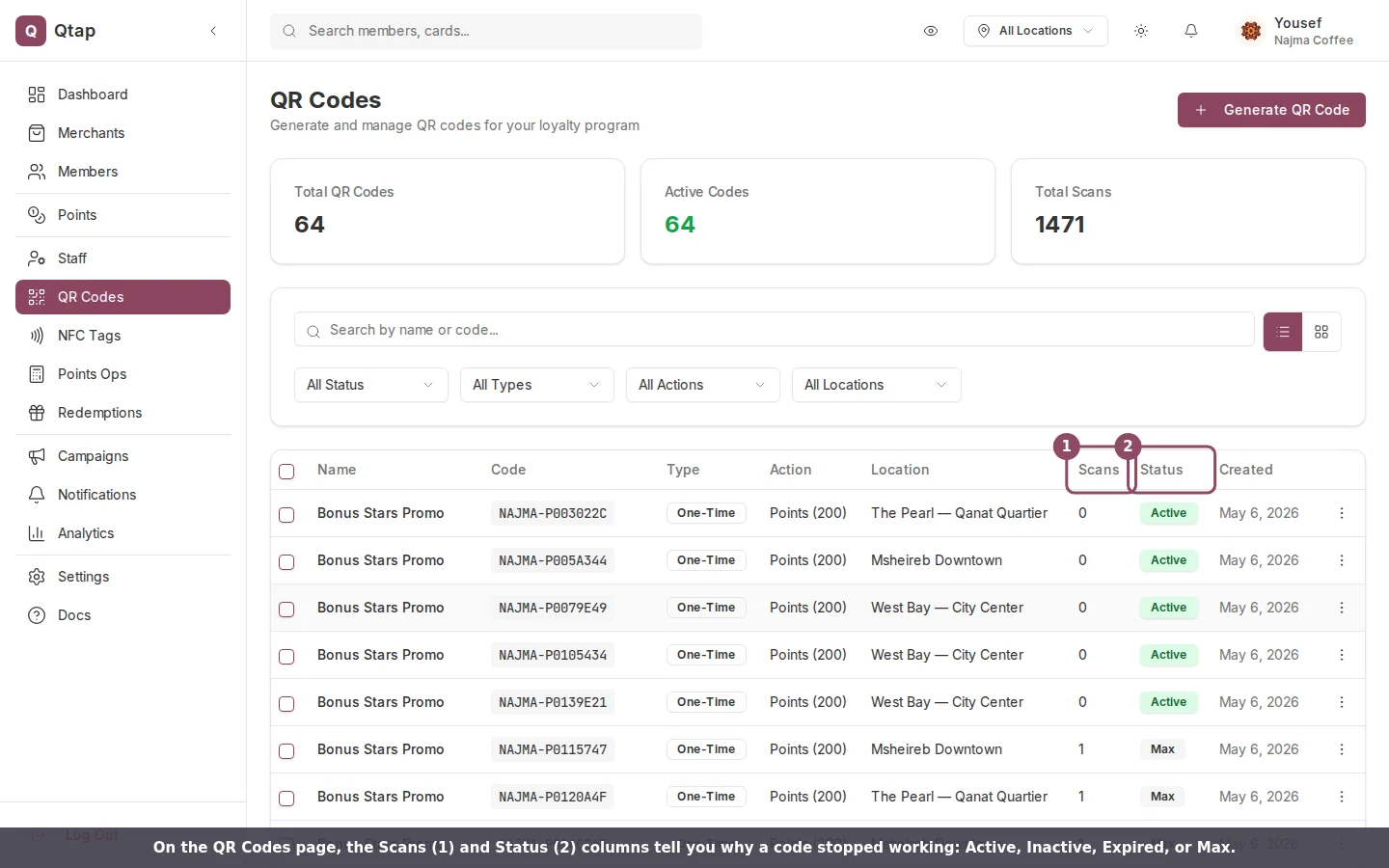
The Scans and Status columns on the QR Codes page show why a code stopped working.
What each status means
A code only works while its status is Active. Three other statuses stop a scan, and each one shows the customer a specific message on their phone.
A customer who scanned with a plain phone camera sees the join page wording of the same message: “This QR code is inactive”, “This QR code has expired”, or “This QR code has reached its limit”.
For an Inactive code, open the three-dot menu on its row and choose Activate. The scan works again right away.
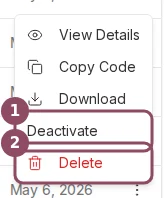
The row menu: switch a code on or off, or delete it for good.
A deleted code is gone for good
If a customer sees “QR code not found. It may have been deleted,” the code was removed from your account. Deleting is permanent, and any printed copies of that code stop working. There’s no undo, so generate a fresh code and replace the printed one. When you only want to pause a code for a while, use Deactivate instead of Delete. An inactive code keeps its history and can be switched back on later.Where to find a code’s limit and expiry date
Click a code’s name to open its detail page. The Details panel lists its scan limit and expiry date, so you can confirm whether a code is close to either one.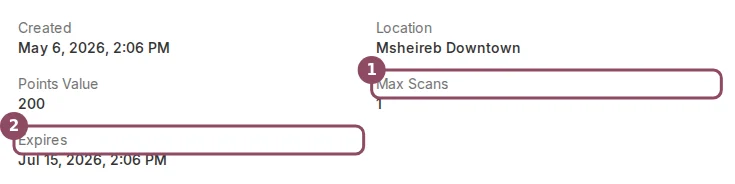
A code's Details panel shows its Max Scans and Expires values.
A scan didn’t add a stamp or points
Sometimes customers tell you they scanned but never got their stamp or points. A scan from a plain phone camera opens a join page rather than crediting on the spot. A new customer who completes the form becomes a member and earns from that first scan. A customer who is already a member sees a welcome back message instead and earns nothing; their repeat earning happens at the counter, where a staff member scans them, or from inside the Qtap app where they’re signed in. Someone who opens the join page and walks away adds nothing, not even to the scan count.QR Codes Overview
How QR codes work, the statuses they can have, and how to manage them.
Generating a QR Code
Create a replacement code for a location.