

Points per unit of currency
In the Basic Information section, Points per sets how many points a member earns for each unit of currency they spend. Set it to 1 and a member earns 1 point per QAR. Set it to 5 and the same purchase earns five times as much. The field accepts decimals, so 0.5 gives half a point per QAR. Pick your Currency from the dropdown next to it; QAR is the default.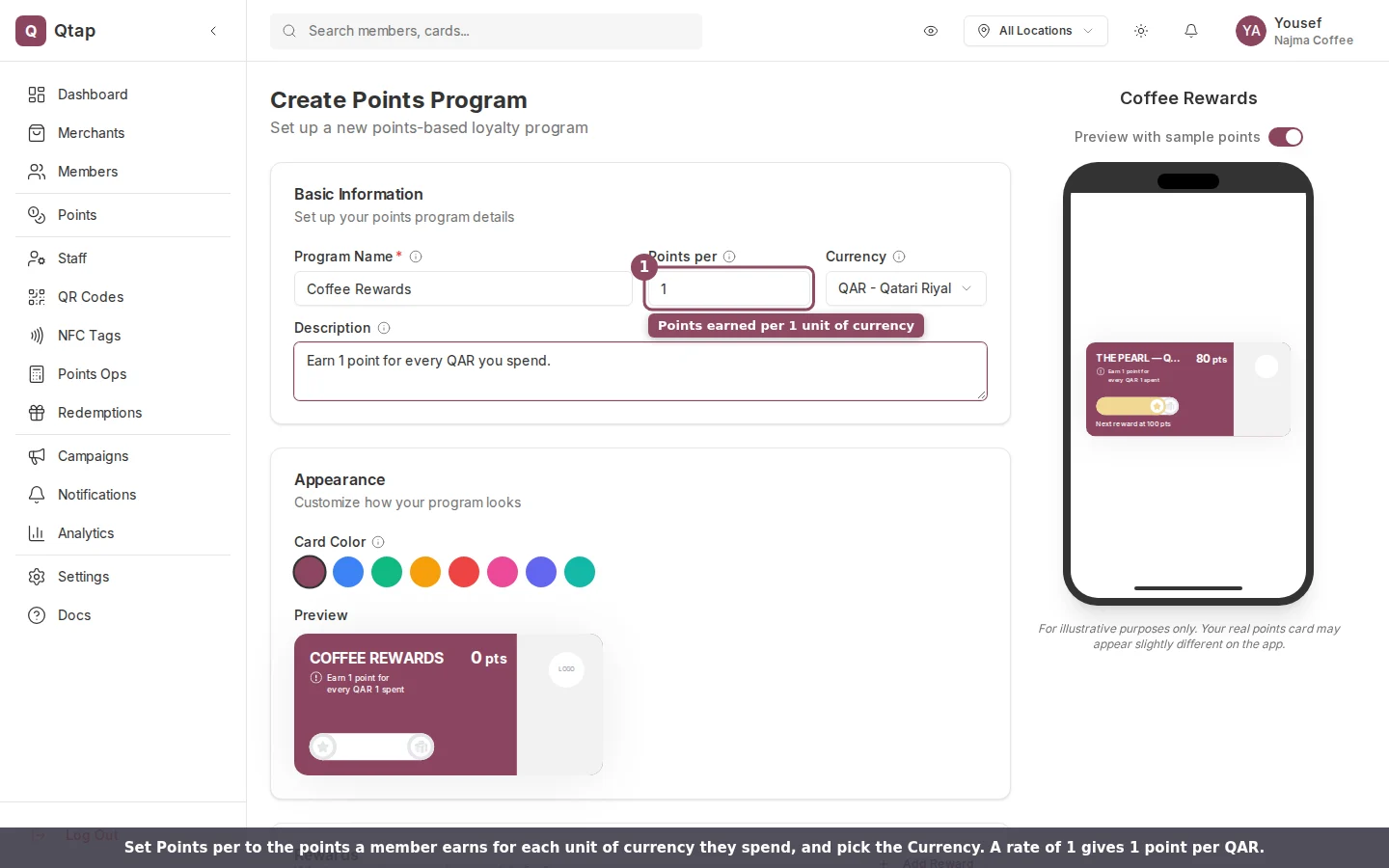
The Points per and Currency fields set your earn rate. A rate of 1 gives one point per QAR.
Cap a single visit
Further down the form, the Limits card holds one setting: Max points per visit. It caps how many points one transaction can earn, no matter how large the purchase. Leave it empty for no cap. If you run a high rate, a cap here keeps a single large bill from handing out a reward’s worth of points at once.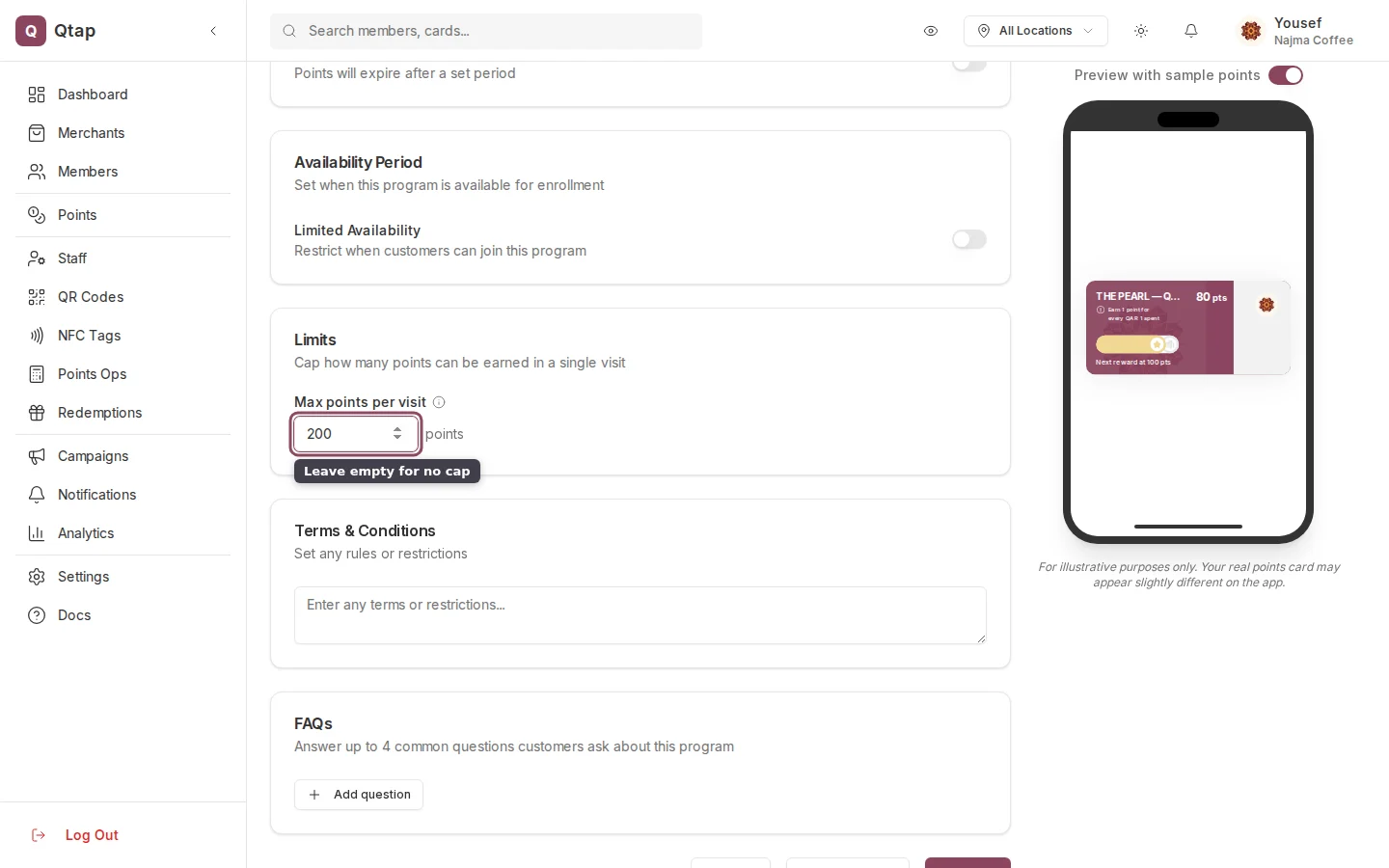
The Limits card caps how many points one visit can earn. Leave it empty for no cap.
How an award is calculated
When staff award points on the Points Operations page, the Calculate Points card does the math. It multiplies the transaction amount by your rate, then rounds down to a whole number. If you set a per-visit cap, it stops there. The summary line shows your rate and any cap, and the large number updates as staff type the amount.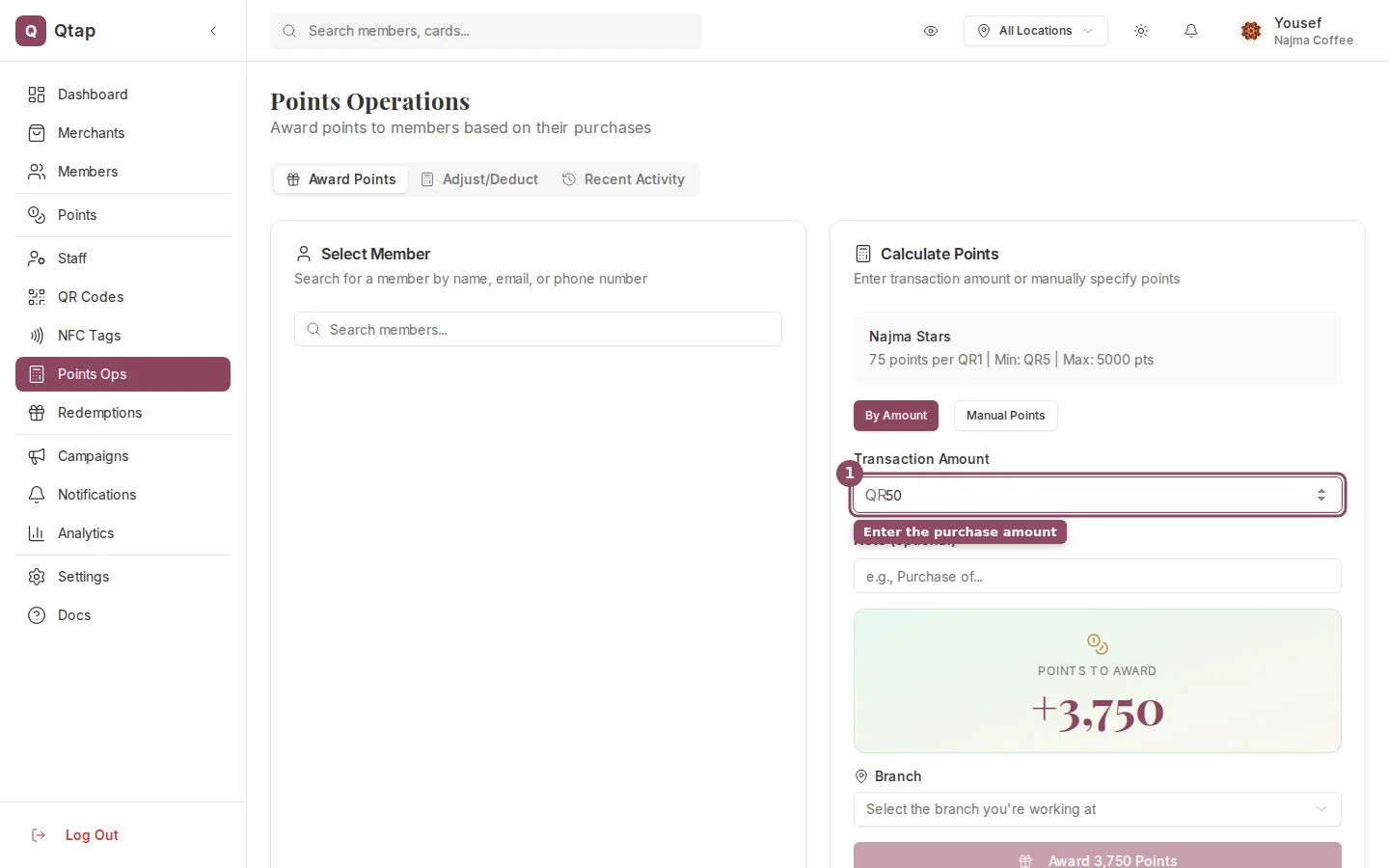
On Points Operations, the calculator multiplies the amount by your rate and shows the points to award.