

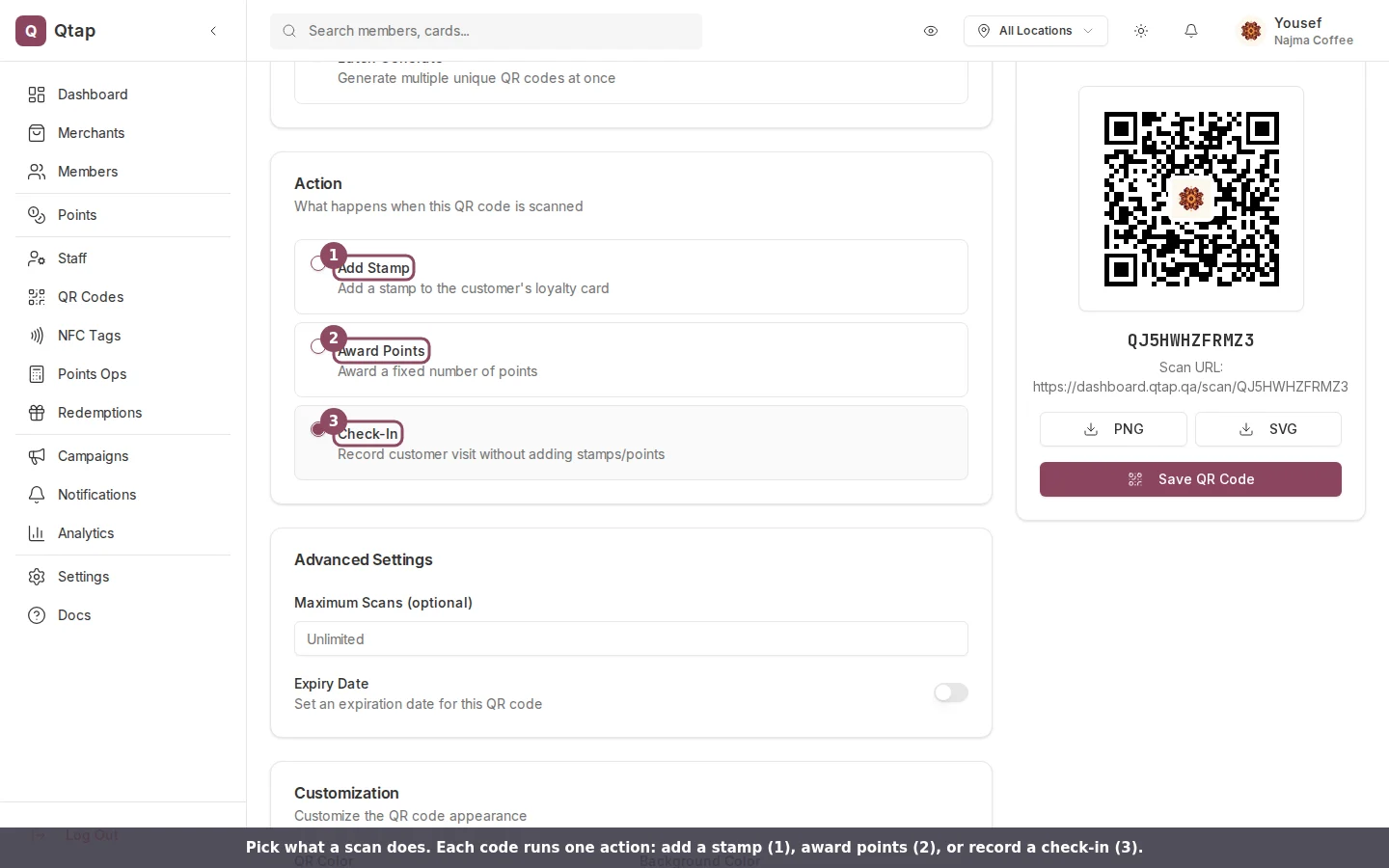
The Action field on the Generate QR Code page, with the three choices a scan can run.
Add a stamp
Choose Add Stamp, then pick which card from the Stamp Card list. Each scan adds one stamp to that card for the customer. When a scan fills the card, Qtap issues the reward and sends the customer a push notification at that moment. The customer sees their new count, like “Stamp added! (3 of 10)”, or a completion message when the card is full.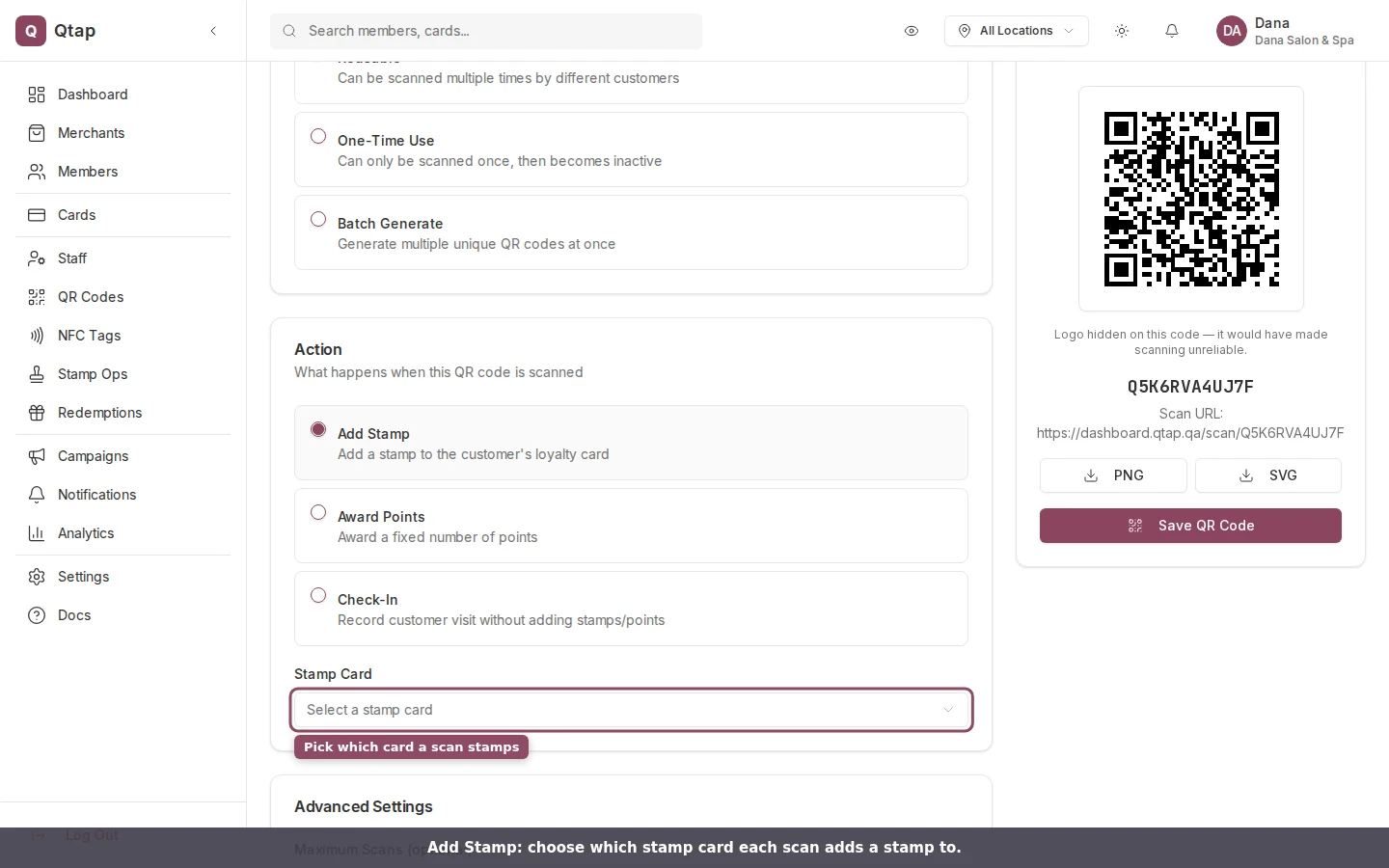
Add Stamp asks which card the scan should stamp.
Award points
Choose Award Points, pick the Points Program, and set the Points Value. Each scan adds that many points to the customer’s balance in the program you picked. If a points multiplier campaign is live when they scan, Qtap multiplies the points for them: a 2x campaign turns a 10-point code into 20, and the customer sees the bonus in their confirmation. With no campaign running, they get the flat value you set.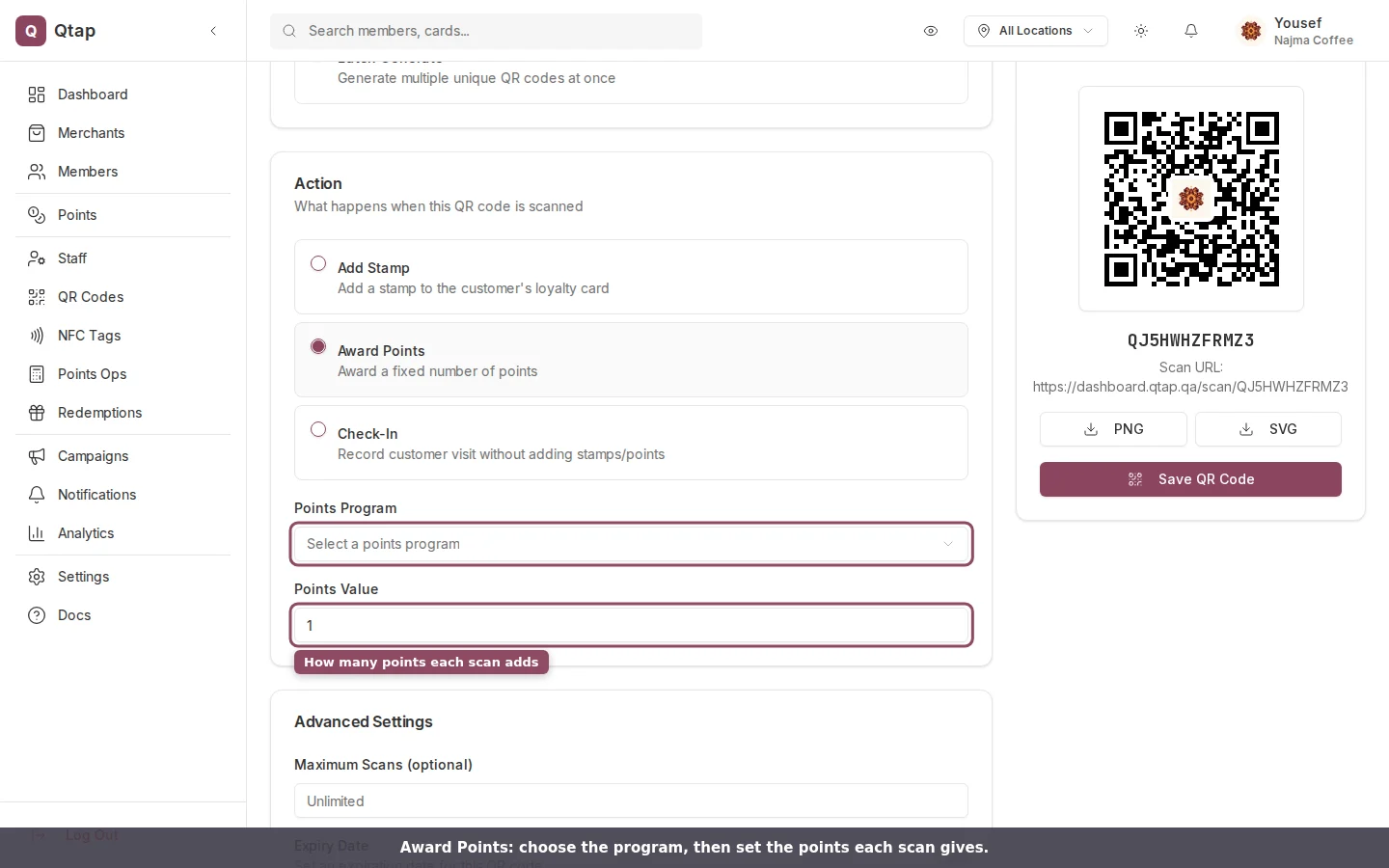
Award Points asks for a program and the number of points each scan adds.
Record a check-in
Choose Check-In for a code that logs the visit without giving stamps or points. The scan updates the customer’s last-active date, which feeds your visit-based campaigns and activity reports. The customer sees “Check-in recorded. Thanks for visiting.” Use this for a code by the door, or at an event where you want attendance rather than rewards.The customer has to be identified
A scan adds stamps or points only when Qtap knows who scanned. That happens when the customer scans from the Qtap app, when a staff member scans the customer’s member code, or when someone new gives their phone number on the join page a camera scan opens. Until a person is attached to it, a scan counts toward the code’s scan total and any limits you set, but it awards nothing.Redeeming a reward is not a QR code action. When a customer is ready to claim a reward they earned, handle it on the Redemptions screen, where you confirm the reward and the balance is settled.
Generating a QR Code
Create a code, set its limits, and download it for print.
Redemptions
Confirm and record a reward a customer has earned.