

Access requirements
Batch generation is not included in all plans. Elite and Franchise plans have unlimited batch access included. All other plans need to purchase a batch credit pack before they can generate. Packs are a one-time purchase, not a recurring charge.
Click Purchase on any tier to go through checkout. Once the payment is confirmed, the form unlocks.
Generate a batch
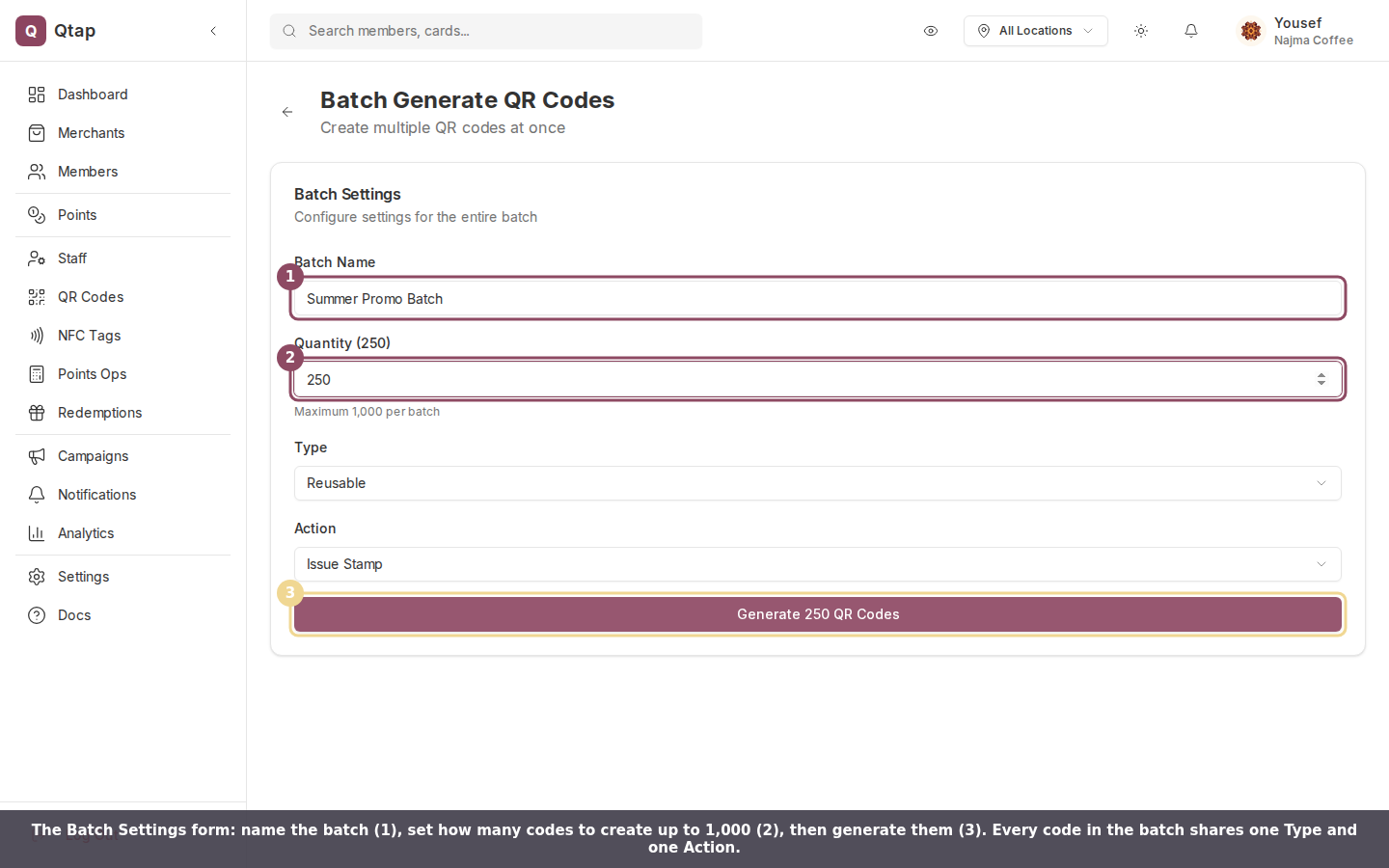
The Batch Settings form. Name the batch, set the quantity, and pick one Type and one Action for the whole group.

The Action menu sets what every code in the batch does when scanned.
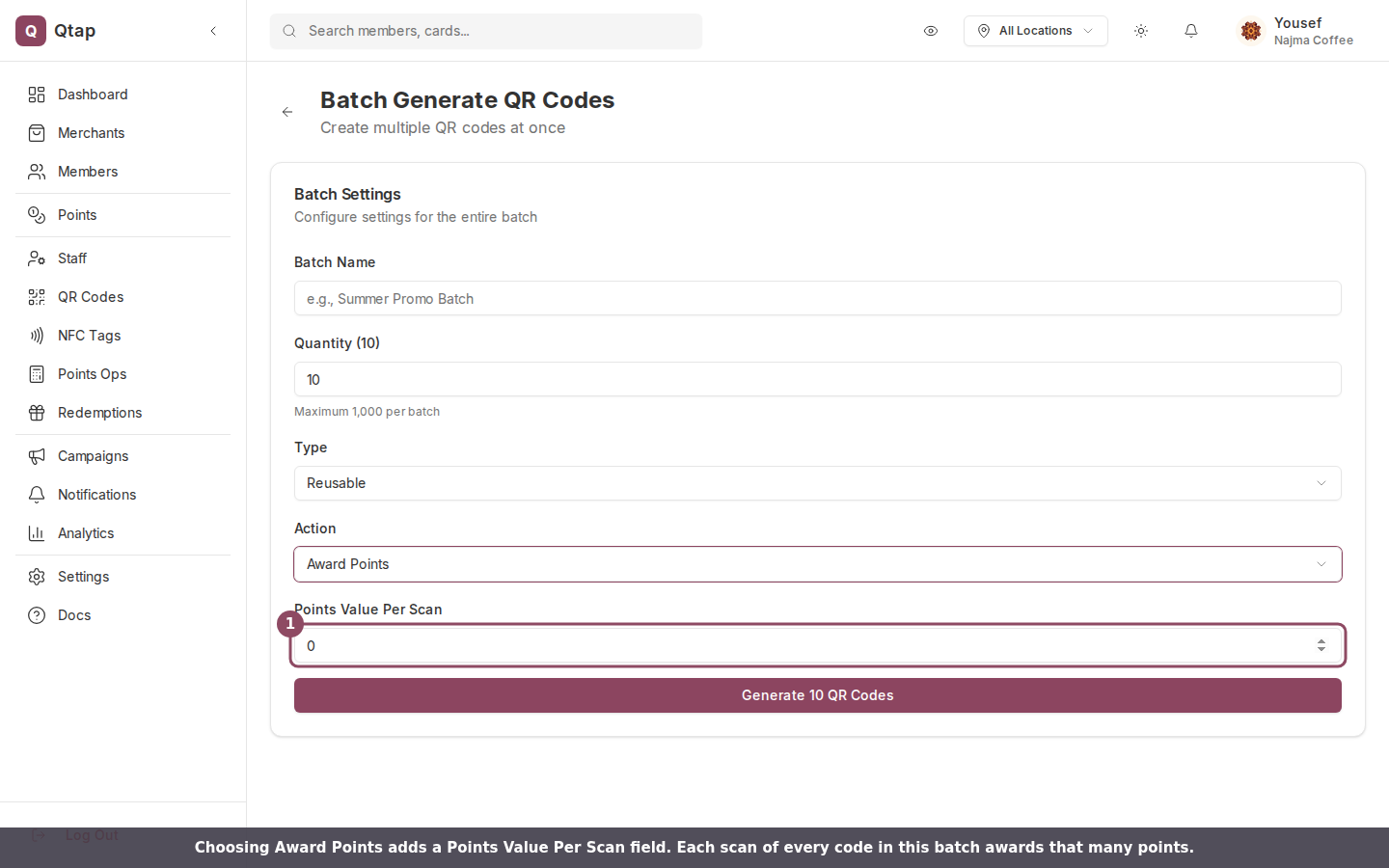
Choosing Award Points reveals a Points Value Per Scan field.
All QR codes in a batch share the same action settings. If you need codes with different actions, run separate batches.
Finding your generated codes
After generation, go to QR Codes to see the full list. Batch-generated codes appear alongside individually created ones. You can filter and download them from there.Generating a Single QR Code
Create one QR code with full customization options including color and expiry.
QR Codes Overview
Understand how QR codes work in Qtap and what actions they can trigger.