

A push notification: you send it
A push notification is a one-off. You write the title and message, choose who receives it, and send it now or schedule it for a single future time. When it’s gone, it’s gone. There are no triggers and nothing repeats.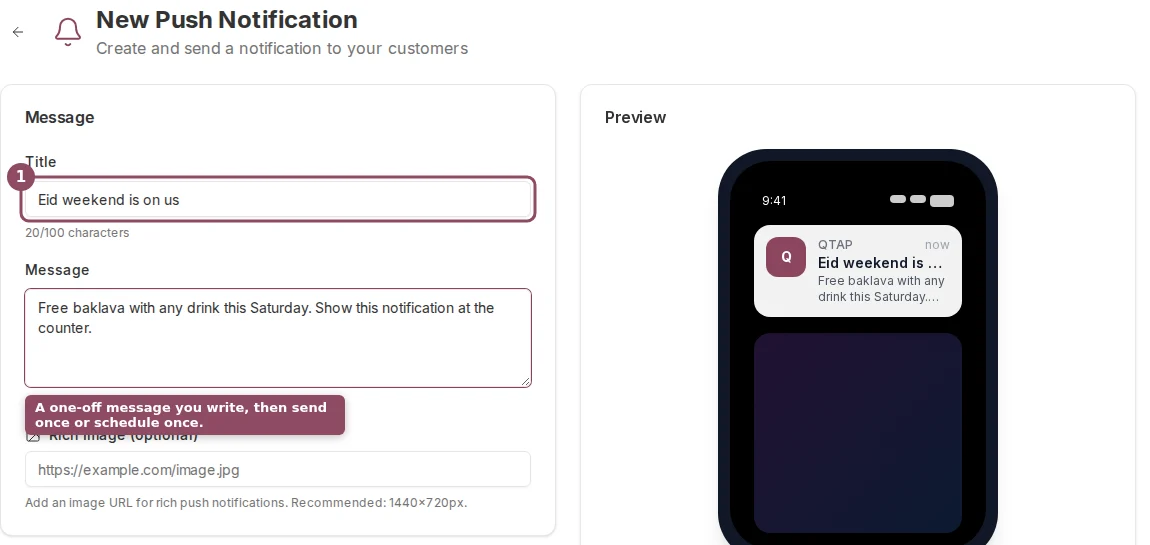
Composing a push notification. You write the message and send it once to the audience you pick.
A campaign: Qtap sends it
A campaign runs on its own. You set a condition once, such as a birthday this week, 60 days without a visit, or a total-stamps milestone. While the campaign is active, Qtap checks your members about every 15 minutes and sends the message to anyone who newly matches.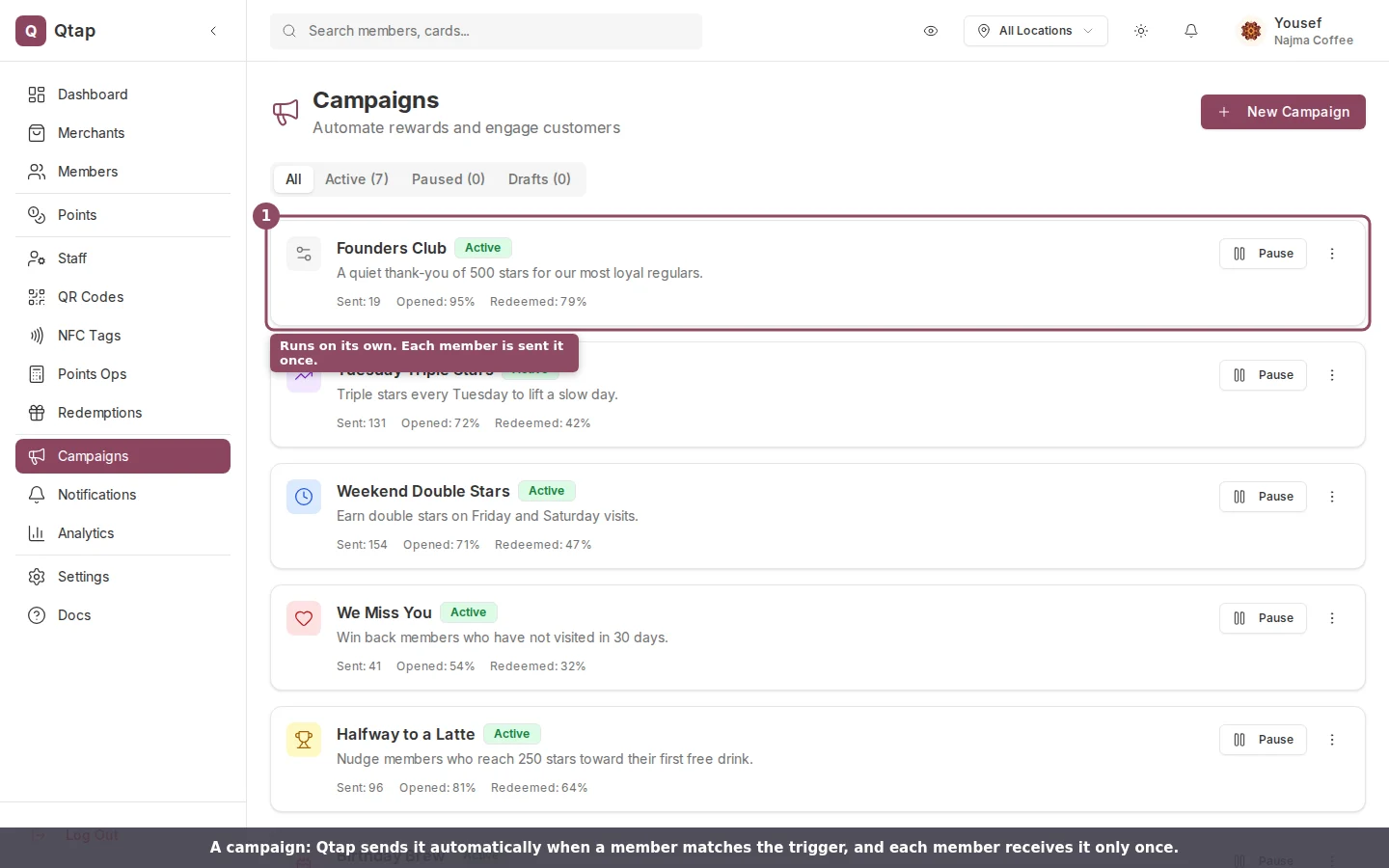
Active campaigns each show how many members they've reached. Qtap sends these automatically.
The rule that separates them
The behavior that catches people out is repeats. A campaign sends each member a given campaign once. Qtap records who has already received it, so when the 15-minute check runs again, members who got it are skipped. (Birthday and win-back campaigns are the exceptions: they can send again after a set time, by design. Campaign timing covers this.) A push notification has no such guard. If you send the same push twice, every member in the audience gets it twice. That’s useful when you mean to repeat a reminder, and a trap when you don’t. Send deliberately.
Push when you decide the moment. Campaign when a rule should decide for you.
Side by side
Worth knowing
Both reach only members who have the Qtap app installed and push turned on. A member without the app, or who has muted notifications, won’t see either one, so your sent count is often lower than your member count. Both are limited to owners and managers. Staff don’t have access to the Notifications or Campaigns pages by default. Keep manual pushes occasional. A member who gets a one-time push from you every day will start ignoring all of them, which then weakens your campaigns too. Save the push for when you genuinely have something to say today.Push notifications
Write and send a one-off push, with audience segments and personalization.
Campaigns overview
Set up an automated campaign and choose its trigger.