

The five reward types
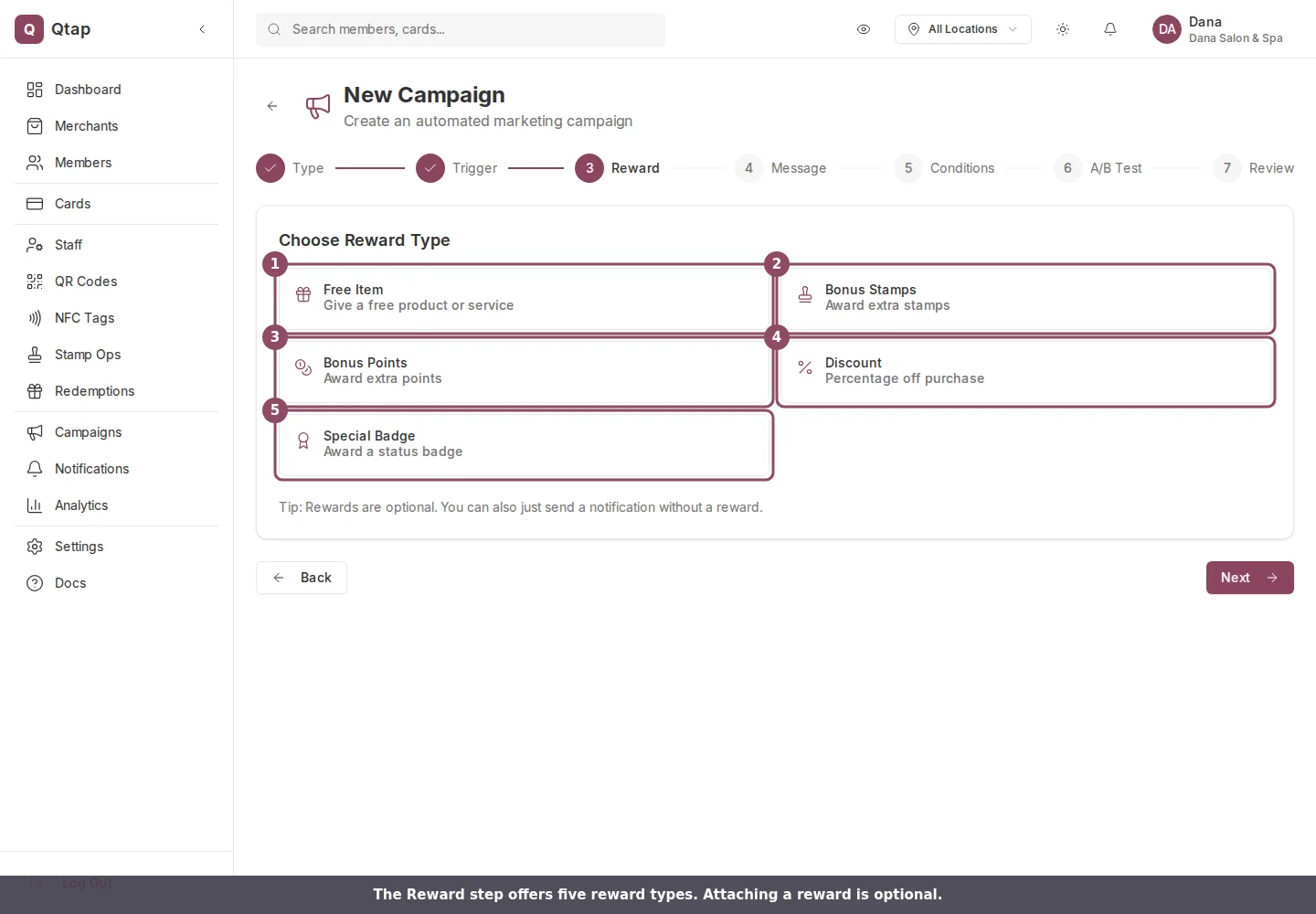
The Reward step of the campaign wizard, with the five reward types.
- Free Item: a free product or service. You type the item name, for example “Free coffee”.
- Bonus Stamps: extra stamps added to the member’s card. You set the number, from 1 to 20.
- Bonus Points: extra points added to the member’s balance. You set the number, from 1 to 1000.
- Discount: a percentage off a purchase. You set the percentage, from 1 to 100.
- Special Badge: a status badge on the member’s profile, such as “Gold Member”. You name the badge and pick an icon.
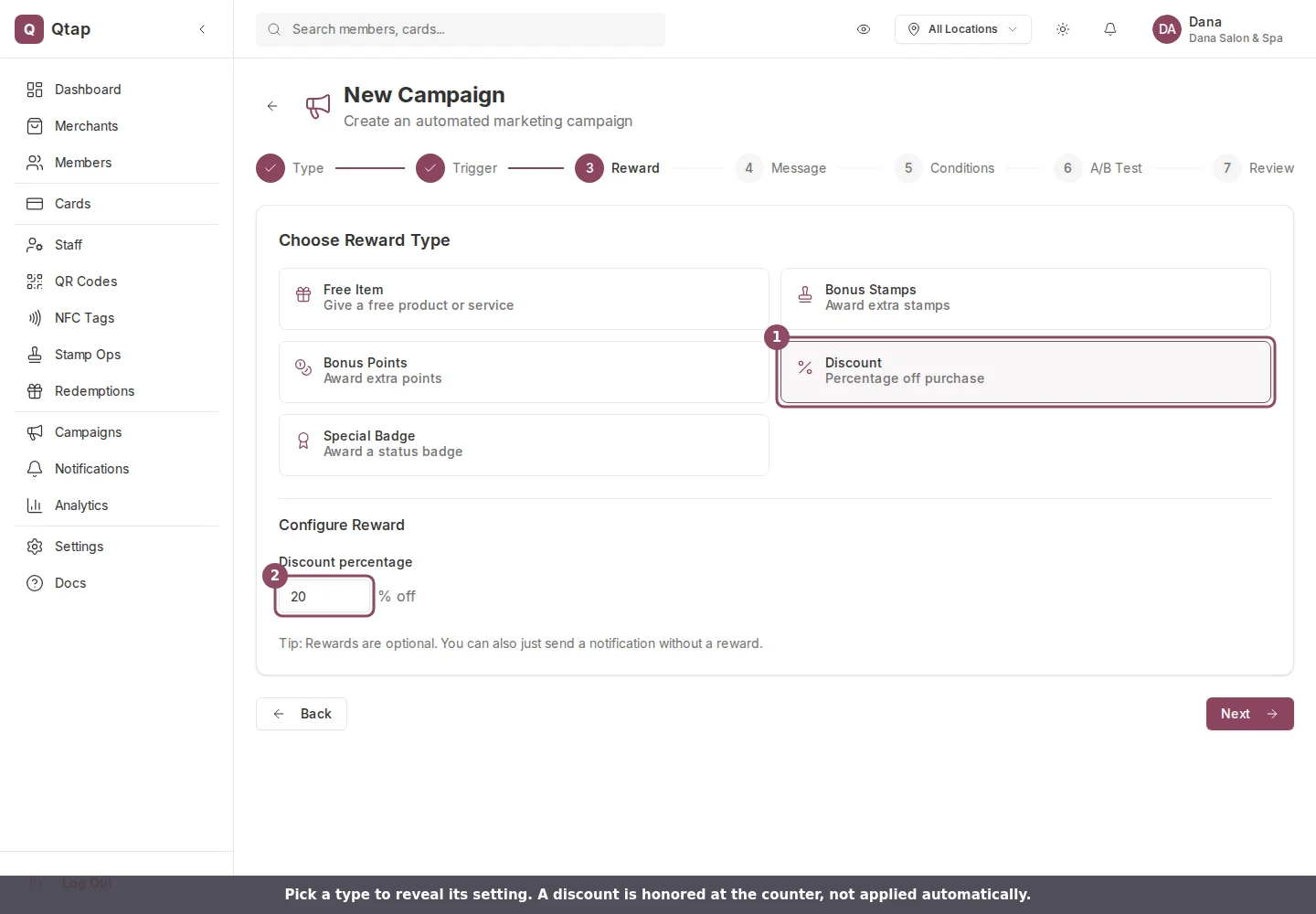
Picking a type reveals its setting. A discount asks for the percentage off.
How reward codes are issued
When a campaign that has a reward runs, Qtap creates one reward code for every member it sends to. The code looks likeCAMP-7K2P9XAB. It is valid for 30 days from the day it is issued, and it can be used once. After that it shows as expired and cannot be redeemed.
The code goes to the member in the Qtap app along with the campaign notification. They show it to your staff to claim the reward.
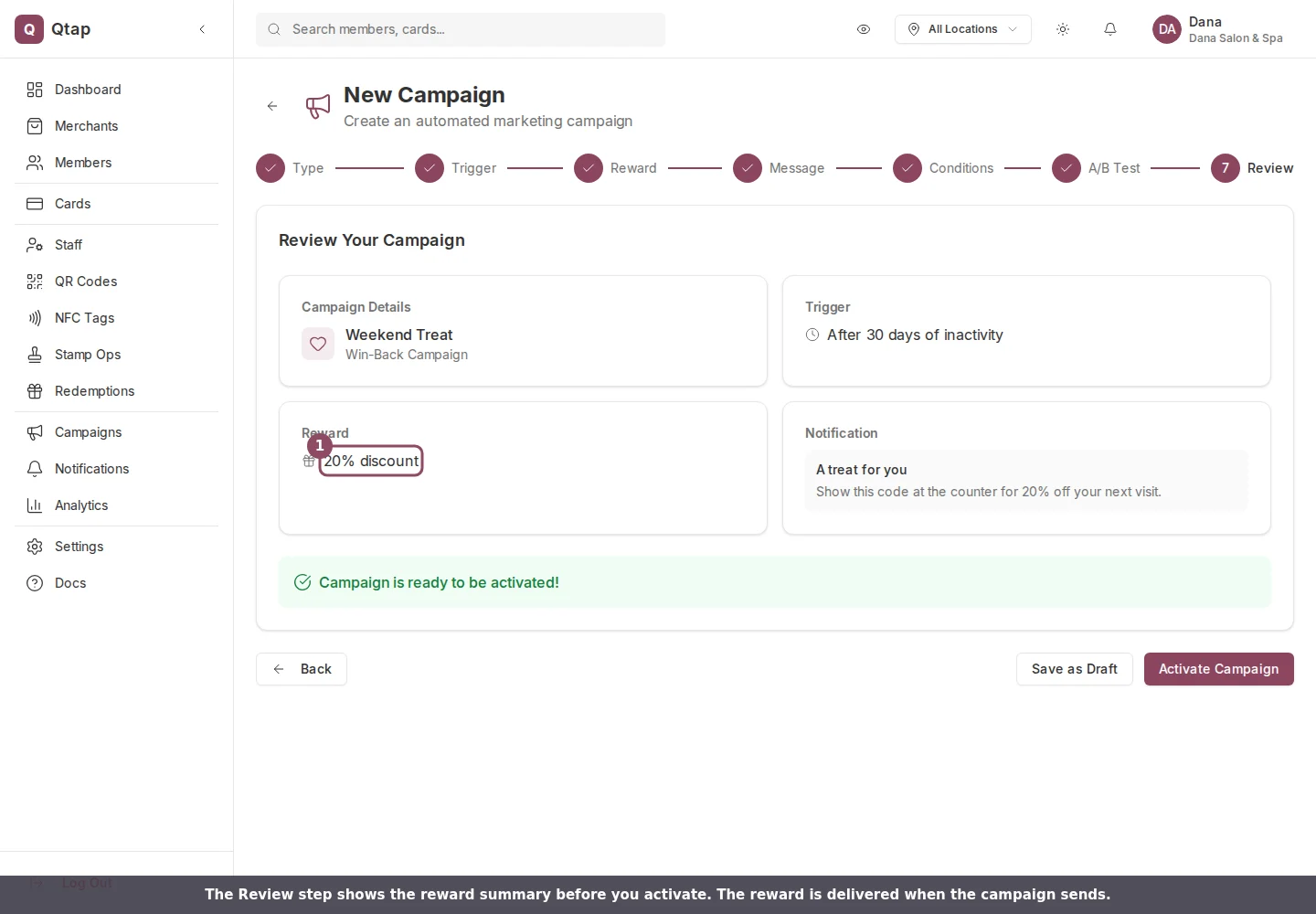
The Review step lists the reward before you activate the campaign.
How each reward is honored
Bonus Stamps and Bonus Points are added to the member’s balance when the code is redeemed. A Free Item or a Discount is honored at the counter by your staff. Qtap does not apply the discount to a bill or ring up the free item for you, so brief your team on what to give and what the code looks like. A Special Badge is a status marker on the member’s profile and does not change their balance.A reward is attached at the campaign level, so every member the campaign reaches gets the same reward. To offer different rewards, run separate campaigns.
Campaigns Overview
How campaigns work and what types are available.
Win-Back Campaigns
Re-engage members who haven’t visited in a while, with a reward to bring them back.