

What the trial includes
Your trial gives you the full Growth plan for all 14 days. The pricing page lays out every plan side by side, so you can see what Growth covers and how the higher plans compare if your business is larger.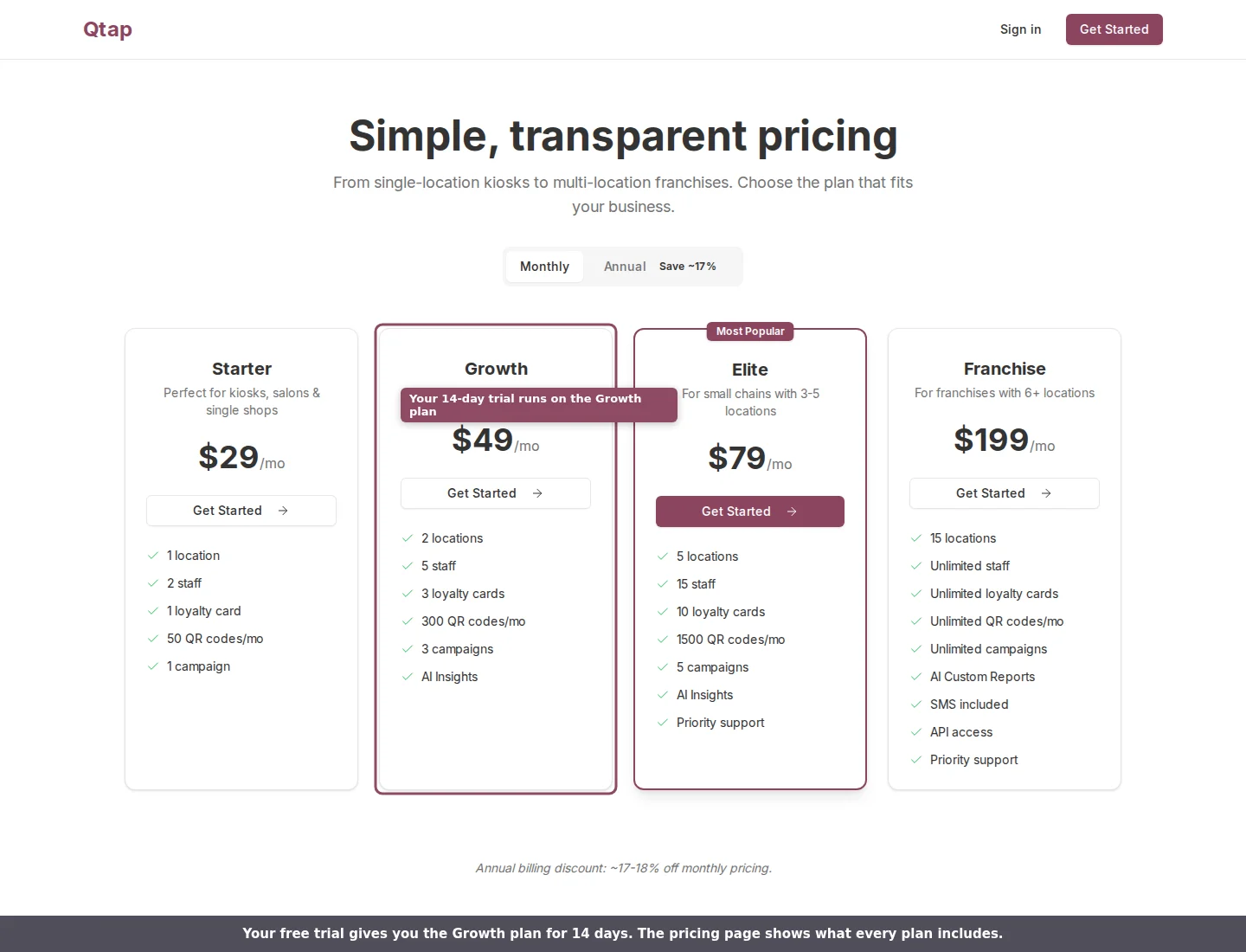
Your trial runs on the Growth plan. The pricing page shows what each plan includes.
The trial banner
While you are on the trial, a banner sits at the top of every dashboard page. It shows how many days are left and a small progress bar. As the end gets closer the banner changes color: amber for most of the trial, orange in the last three days, and red on the final day, with a clear note to add a payment method so you keep your features.
The trial banner shows days left, your progress, and the buttons to extend or subscribe.
Earn extra trial days
You can stretch the trial past 14 days in two ways, and both reward you for setting up your account. From the banner, once you are within the last three days, an Earn 3 More Days button appears. You qualify by getting your account going: adding a loyalty card, inviting staff, generating QR codes, adding members, or starting a campaign. Doing about two of these is enough to earn the extension. Each one adds 3 days, and you can earn it twice, for up to 6 extra days. Only the account owner can claim it. The Getting Started checklist on your dashboard home adds days too. Creating your first loyalty card, generating a QR code, inviting a team member, and creating a campaign each add 1 trial day when you claim the reward. See Getting started checklist for how those bonuses work.When the trial ends
Qtap emails you along the way so the end is never a surprise: a welcome note at the start, a halfway check-in around day 7, and reminders in the last few days. Each one links straight to your billing page. The final day works one of two ways, depending on whether you have a payment method saved:- With a card on file, your plan continues without a break and your card is charged on the trial end date. The trial banner and billing page both show that date in advance.
- With no card saved, your account moves to the free Starter plan. Anything above Starter’s limits, such as extra locations or loyalty cards, is paused until you subscribe. Your data stays safe.
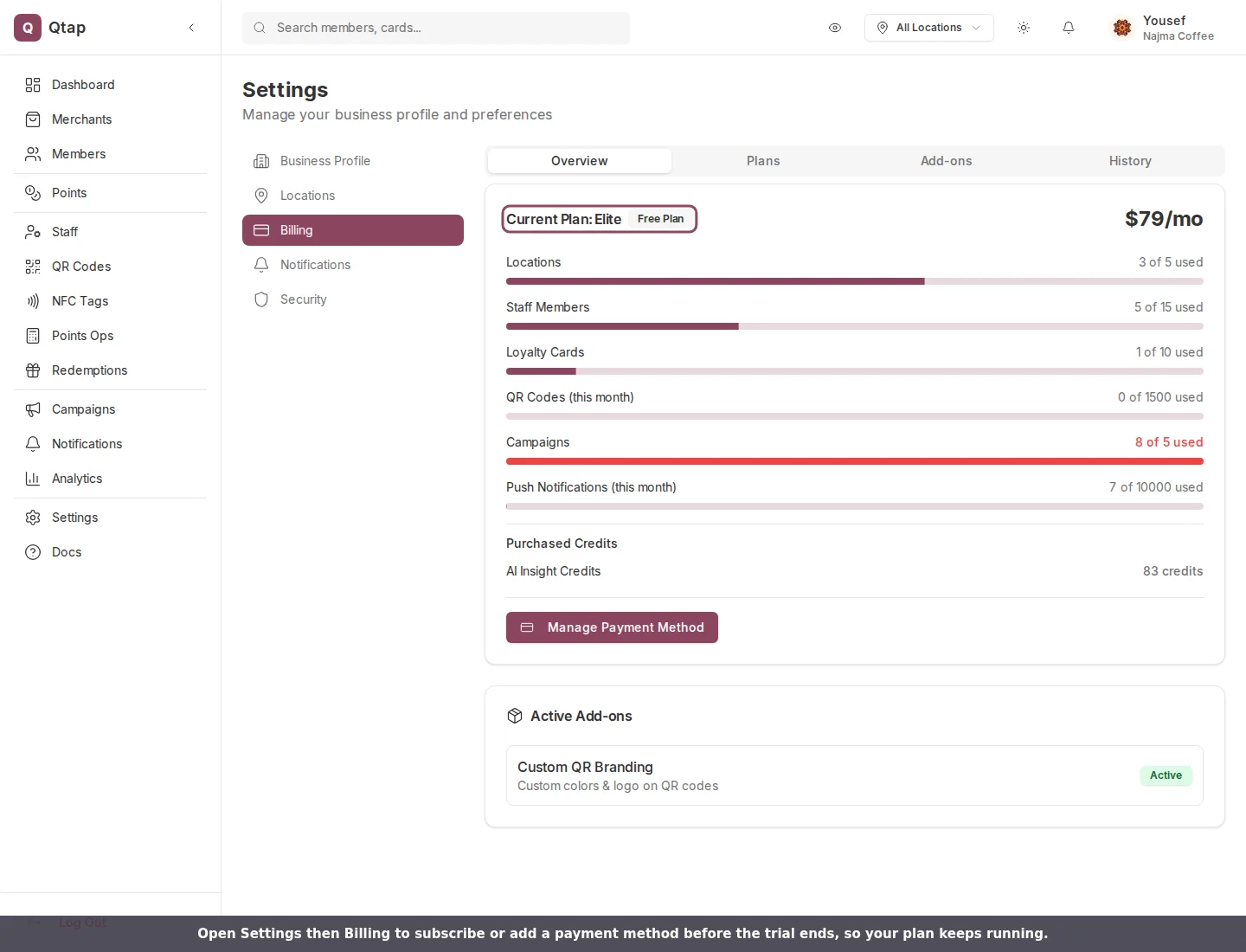
Open Settings then Billing to add a payment method and keep your plan after the trial.
Only the account owner can subscribe, add a payment method, or earn trial days. Managers and staff with billing access can view the page but not make the change.
Compare plans
See what Starter, Growth, Elite, and Franchise each include
Upgrading your plan
Subscribe or move to a higher plan and see what you’re charged