

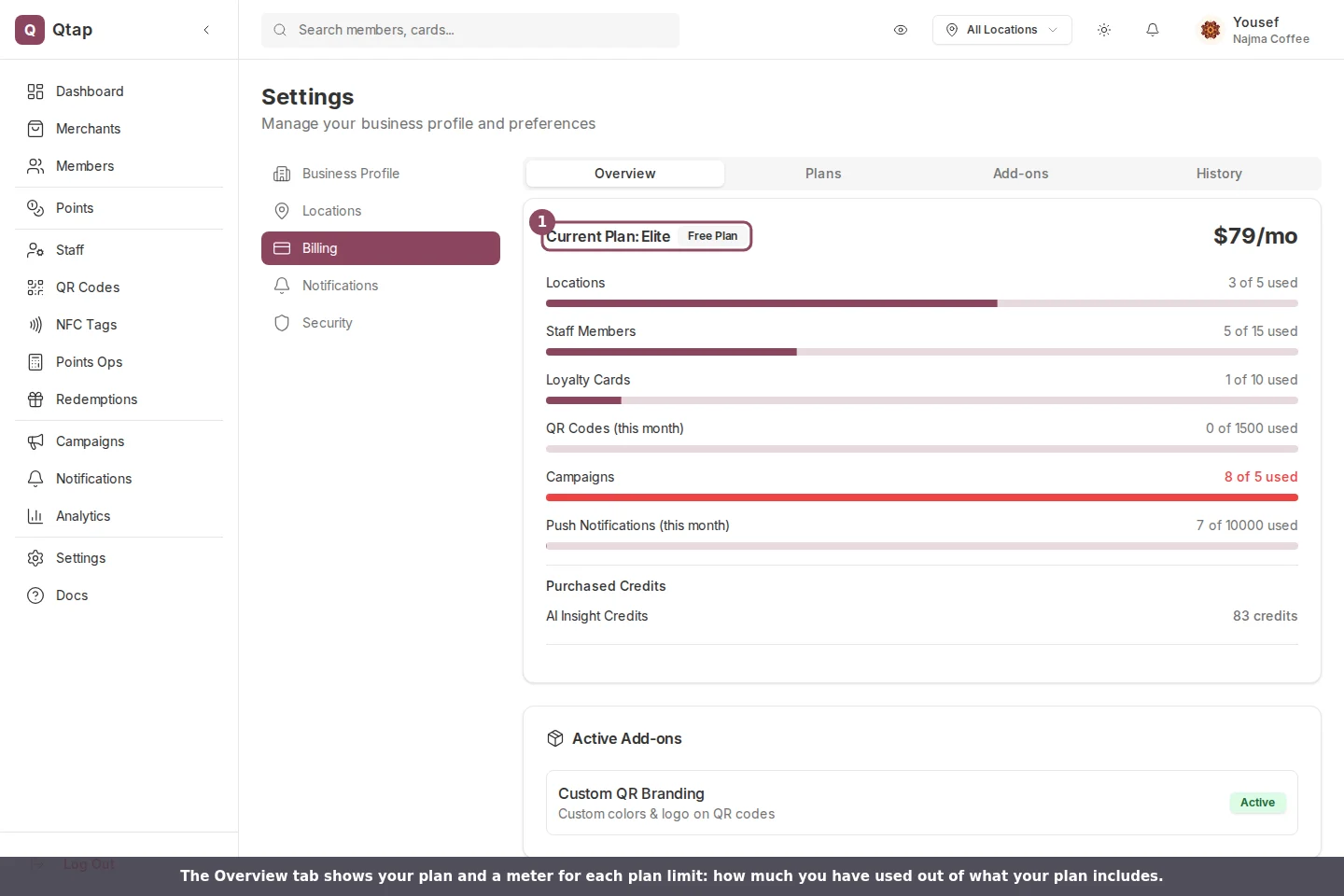
The Overview tab: your current plan and a meter for each plan limit.
What each meter counts
Every meter reads X of Y used, where Y is your plan’s limit. Each one counts something different:- Locations: your active locations. A location you have deactivated does not count.
- Staff Members: your active staff accounts. Anyone you have removed does not count.
- Loyalty Cards: your active stamp cards and points programs added together. A salon with one stamp card and one points program uses two.
- QR Codes (this month): the QR codes you have generated since the first of the current month.
- Campaigns: every campaign in your account.
- Push Notifications (this month): the pushes you have sent since the first of the current month.
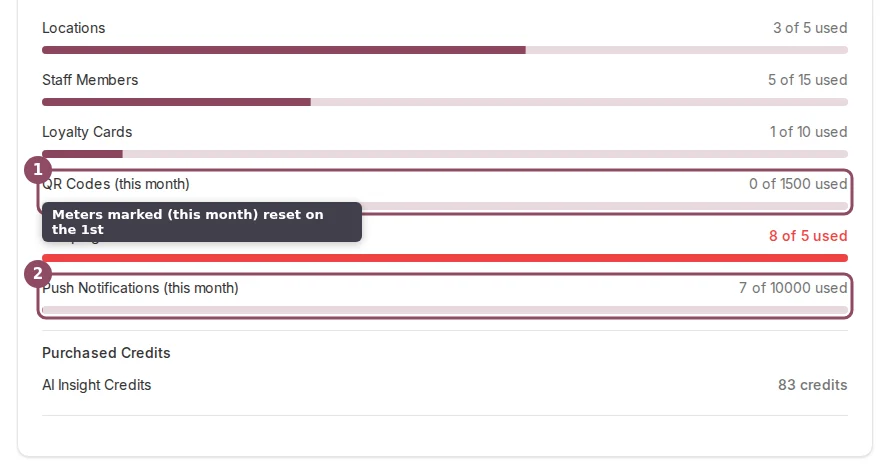
The two meters marked (this month) reset on the first. The rest are running totals.
When a meter turns red
A meter fills as you get closer to the limit. Once you reach it, the count and the bar turn red so you can spot it at a glance. The number stays a plain fraction the whole time, so the figure you read is always the real one.
A meter at or over its limit turns red.
What to do when one fills up
You have three ways to make room:- Upgrade your plan to raise the limit on everything at once.
- Buy a single add-on from the Add-ons tab if you only need more of one thing, like an extra location or an extra loyalty card.
- Wait or remove items. The two monthly meters clear on the first. For the running totals, deactivate a location, remove a staff member, or delete a campaign you no longer run.
On a plan with unlimited limits, a meter shows the count next to an infinity sign and no bar, since there is nothing to fill up.
Plans compared
What each plan includes and how the limits differ.
Upgrading your plan
Move up a plan when a meter keeps filling up.