

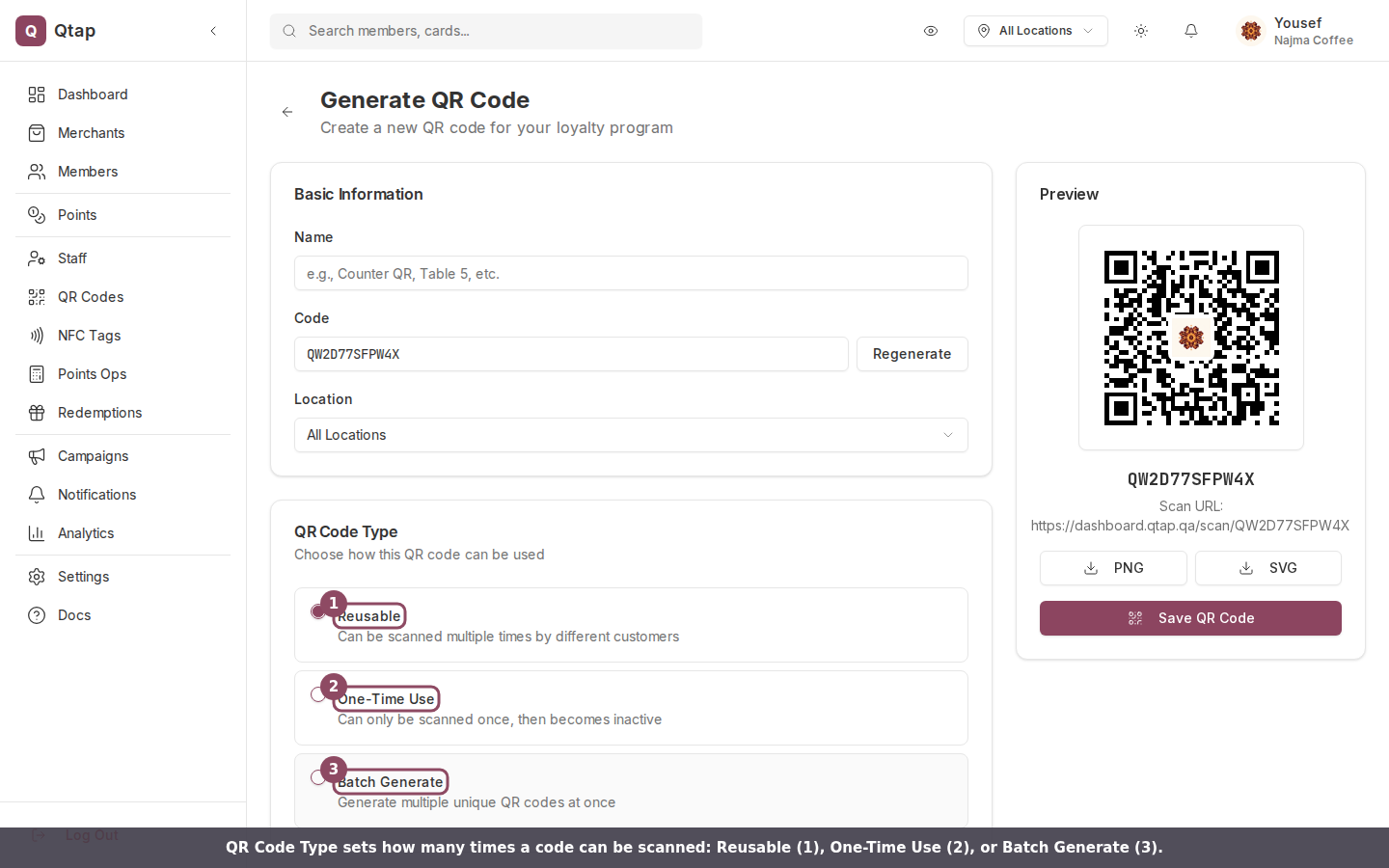
The QR Code Type card on the Generate QR Code page, with the three types you can choose from.
Reusable
A reusable code can be scanned again and again by different customers. This is the right pick for any code that stays in place: a sticker on the counter, a table tent, a poster in the window, or a code printed on every receipt. One code does all the work. By default a reusable code has no scan limit. To cap it, enter a number in the Maximum Scans field. Once the code reaches that many scans it stops working, and a customer who scans it sees “This QR code has reached its maximum number of scans.” Leave the field empty for unlimited scans.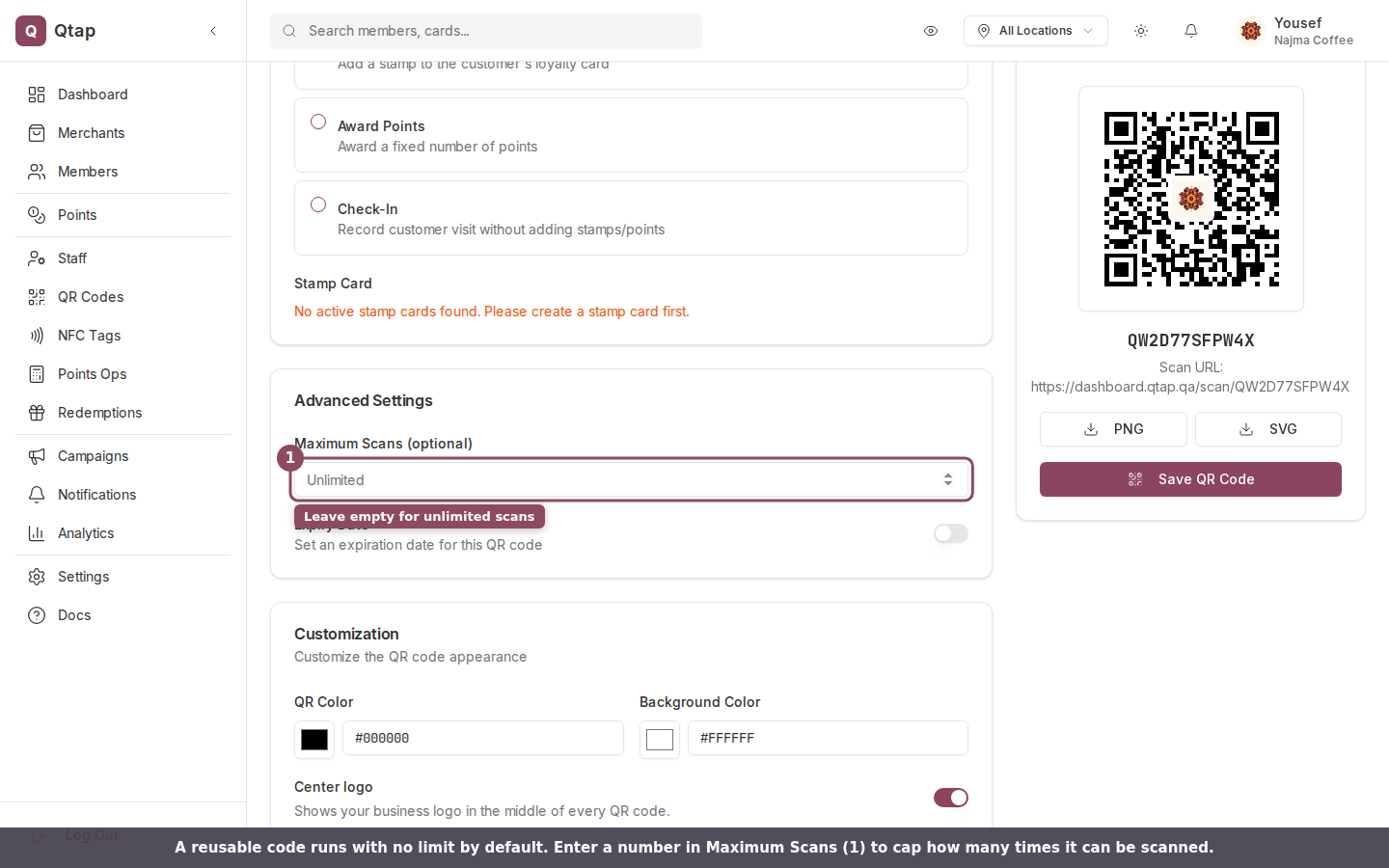
Reusable codes can run unlimited, or you can set a Maximum Scans cap.
One-Time Use
A one-time code works for a single scan, then turns itself off. After that first scan the code becomes inactive, and anyone who scans it again sees “This QR code is inactive” on the join page. Use it for a single-use voucher, a one-off reward handed to one customer, or any code that should never be claimed twice.Batch Generate
Batch Generate makes a set of unique codes in one step, between 2 and 100 at a time. Every code in the batch is single-use: each one deactivates after its first scan, exactly like a One-Time Use code. Reach for this when you need a run of one-per-customer codes, such as printed coupons, event giveaways, or numbered cards in a mailout.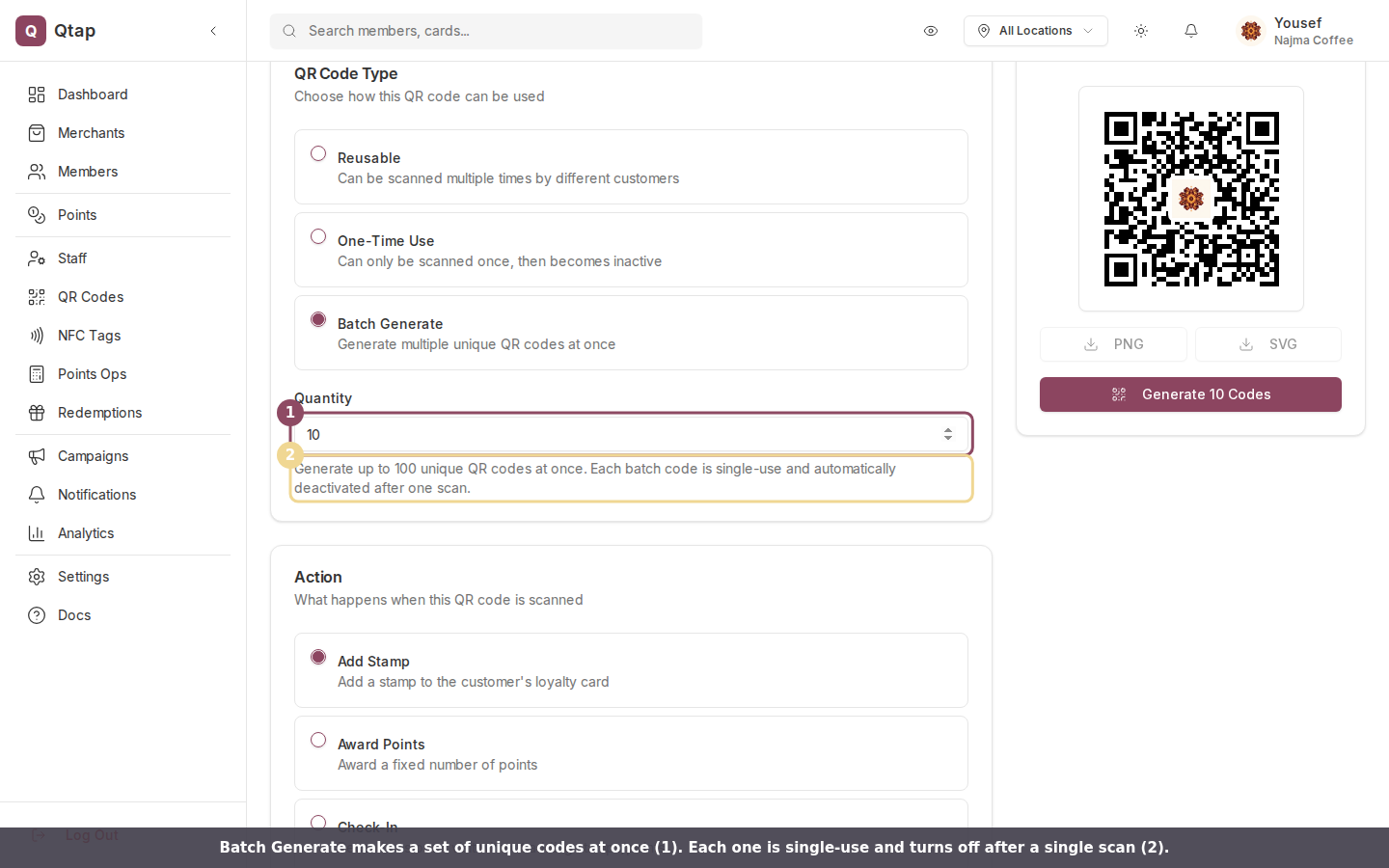
Batch Generate creates a set of unique single-use codes. Each one deactivates after a single scan.
Which type to pick
Generating QR codes needs the QR access permission. Owners and managers have it by default, so they can create any type. Staff have no QR access by default. See Roles and permissions.
Generating QR Codes
The full walkthrough for creating and downloading a code.
Troubleshooting
What each scan error means and how to fix it.