

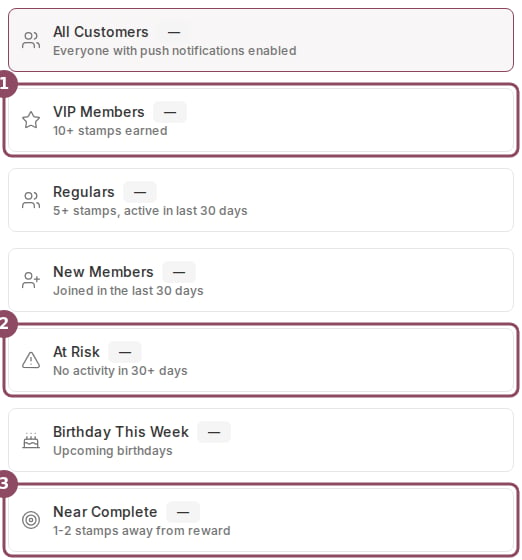
The Send To picker on a new notification, with VIP Members, At Risk, and Near Complete called out.
What each segment means
Every segment counts only members who have push notifications turned on in the Qtap app. A member without the app, or with notifications switched off, never lands in any segment.- All Customers reaches every member with push enabled.
- VIP Members are your highest earners: members who have earned 10 or more stamps in total.
- Regulars are members with 5 or more stamps who have also been active in the last 30 days.
- New Members joined in the last 30 days.
- At Risk are members whose last recorded activity was more than 30 days ago. A member with no activity on record yet does not count here.
- Birthday This Week are members whose birthday falls within the current Sunday-to-Saturday week.
- Near Complete are members who have earned 8 or more stamps in total.
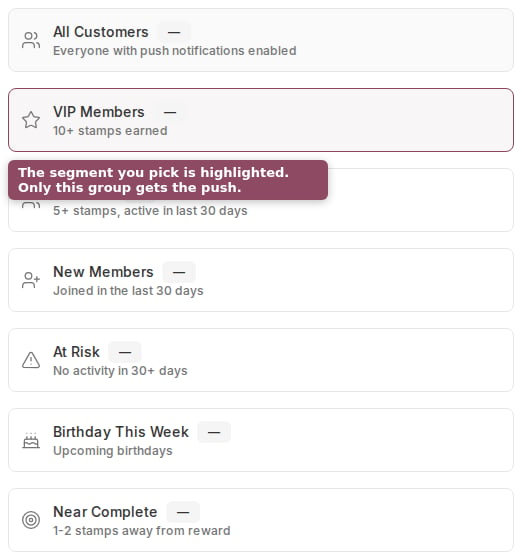
The segment you pick is highlighted. Only that group receives the notification.
The thresholds behind each segment
The stamp counts and day windows are set values. The table below shows the default rule for each segment.
Default rules for all seven segments.
VIP, Regulars, and Near Complete count total stamps a member has ever earned, not the stamps on their current card. A member who has earned 8 stamps across several completed cards qualifies for Near Complete even if their current card is nearly empty. The “1-2 stamps away” description on that card is a rough label; the real rule is the lifetime stamp count.
Live counts
Each segment shows a small count beside its name: how many of your members match it right now. The numbers come from your live member list, so they shift as customers join, earn stamps, and visit. Pick a segment and the count tells you how many people the notification will reach before you send. If the counts cannot load, the picker shows a dash and a short notice. You can still choose a segment and send; only the preview number is missing.Where segments apply
Segments are for one-off push notifications. Automated campaigns use their own triggers, like a birthday this week or 60 days without a visit, rather than this picker. To send to a handful of named members instead of a segment, start the notification from those members on the Members page. Sending notifications needs the campaigns permission, so owners and managers can use segments by default. Staff have no access unless you grant it.Push notifications
Write and send a one-off push, from the title to the send button.
Send to specific members
Skip segments and send to members you hand-pick.