

What a tap looks like on the customer’s phone

The four steps, from holding the phone against the tag to the stamp landing.
What the customer needs
- The Qtap app installed and signed in. Without it, tapping opens a web page instead and nothing is earned.
- A phone that reads NFC tags. Most iPhones from the XS onward and most modern Android phones do.
- The screen on and the phone unlocked. A locked, dark phone will not pick up the tag.
Checking that a tap landed
Open NFC Tags. The Taps column counts every confirmed tap, and Last Tapped shows the date of the most recent one, so a tag that is getting used climbs while a tag nobody notices stays still.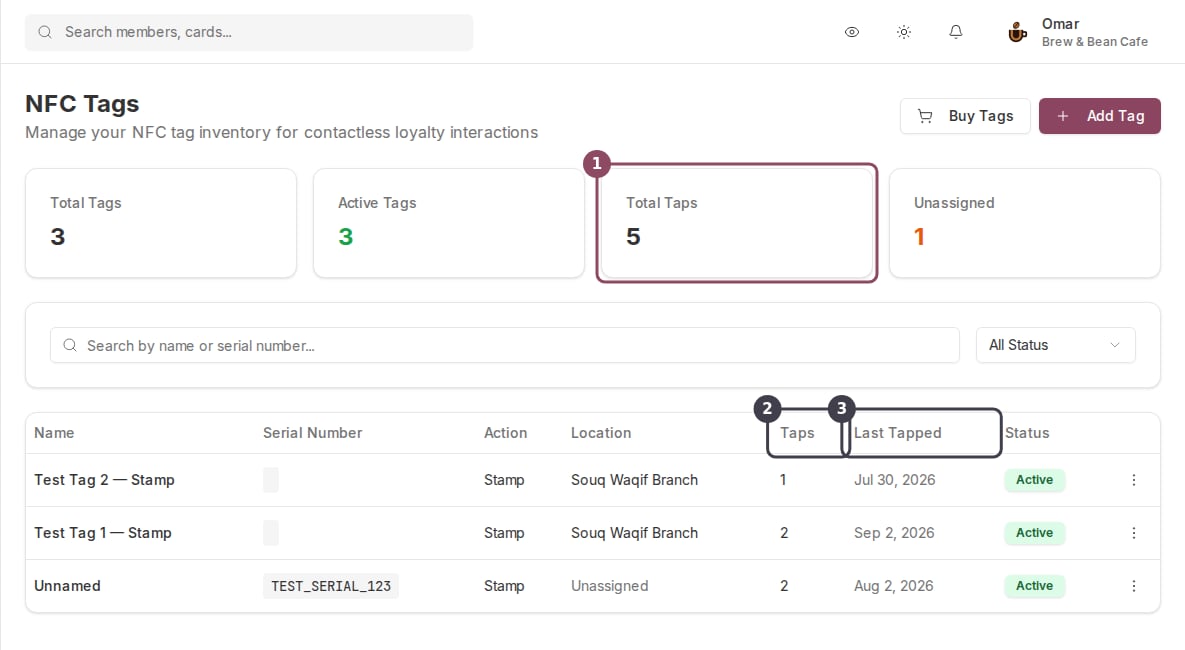
Total Taps across all your tags, then the per-tag Taps count and the date each tag was last used.
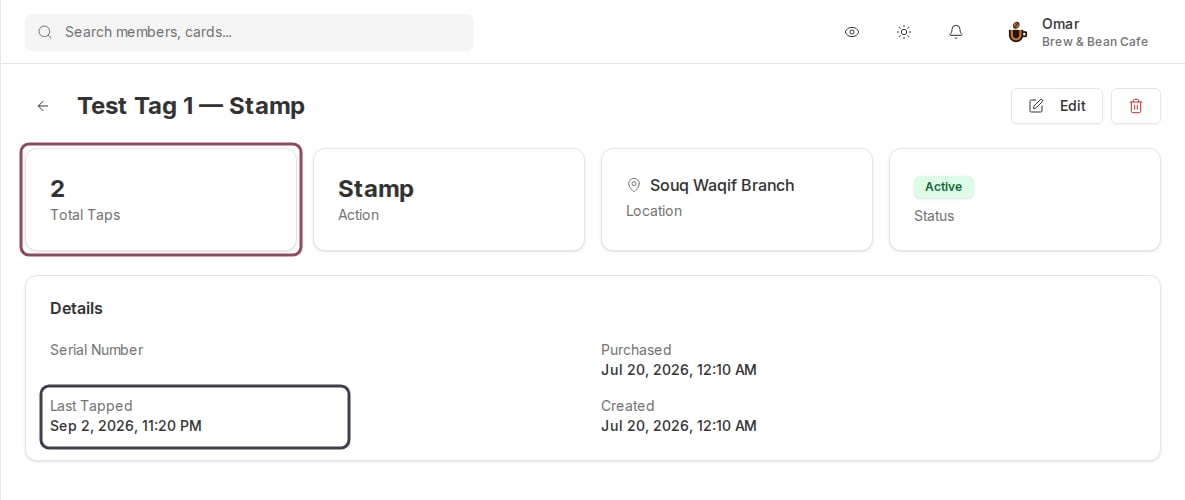
A tag's own page: its total taps, and the exact time it was last tapped.
Test one tag before you print anything
Tap a tag with your own phone, press Confirm, then reload the NFC Tags page and check that the count moved. That test costs a minute and tells you whether the tags are worth putting on every table. Counter signage that says “tap here to collect a stamp” is worth holding back until you have seen a tap go through.The wording on the tag’s web page is out of date. A phone without Qtap installed lands on a page reading “Open the Qtap app and tap the tag again”, which points at the button that answers “Coming soon”. Expect a customer or two to come back to the counter confused, and have staff point them at a QR code for that visit.
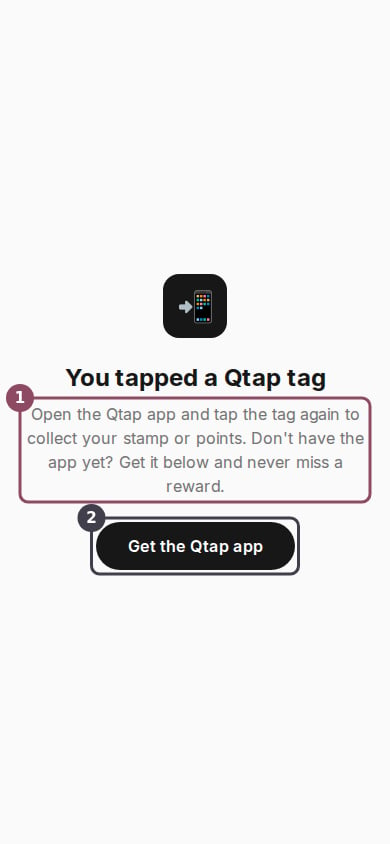
What a phone without the Qtap app shows after a tap. The instruction on it is stale.
How a tap works
The stamp, points, or check-in a tap records, and the daily cap on stamps.
NFC tags vs QR codes
Which one to reach for, and what each costs you.
NFC Tags
Buy, register, and manage the tags in your locations.
Showing a QR code to a customer
The fallback to hand anyone who does not have the app yet.