


The same customer across three cards. The milestone reward arrives once. The main reward arrives every time.
What happens when the last stamp lands
Qtap issues the main reward as a voucher, resets the stamp count to zero, and adds one to the number of cards that customer has completed. Their phone gets a message saying they finished the card. The same card keeps running for them, with nothing for you to switch back on and no new card to create.The main reward repeats. A milestone reward does not.
Rewards you add with the Interim type are milestone rewards: they fire at a stamp number partway along the card. The Main reward fires when the card fills.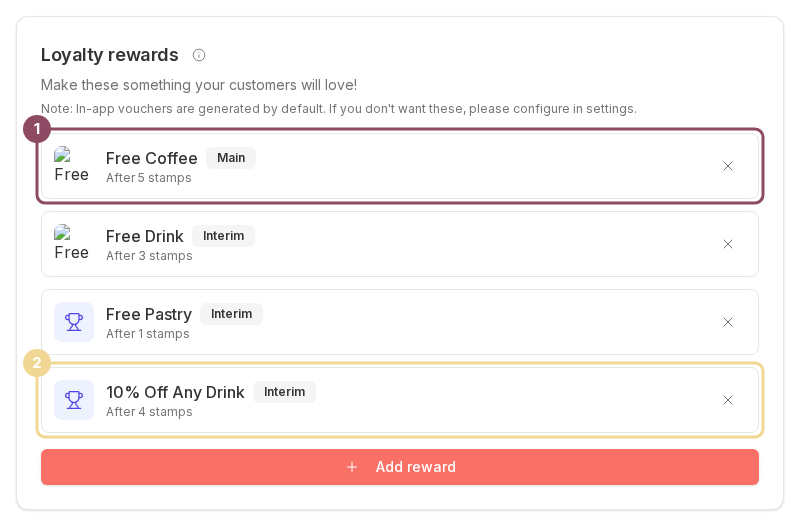
The Coffee Lovers Card has one Main reward at 5 stamps (1) and three milestone rewards, including 10% Off Any Drink at 4 stamps (2).
The counter screen still promises the milestone
Before you issue a stamp, the Stamp Operations screen previews what that stamp will unlock. That preview is worked out from the stamp count alone. It does not check what the customer has already been given.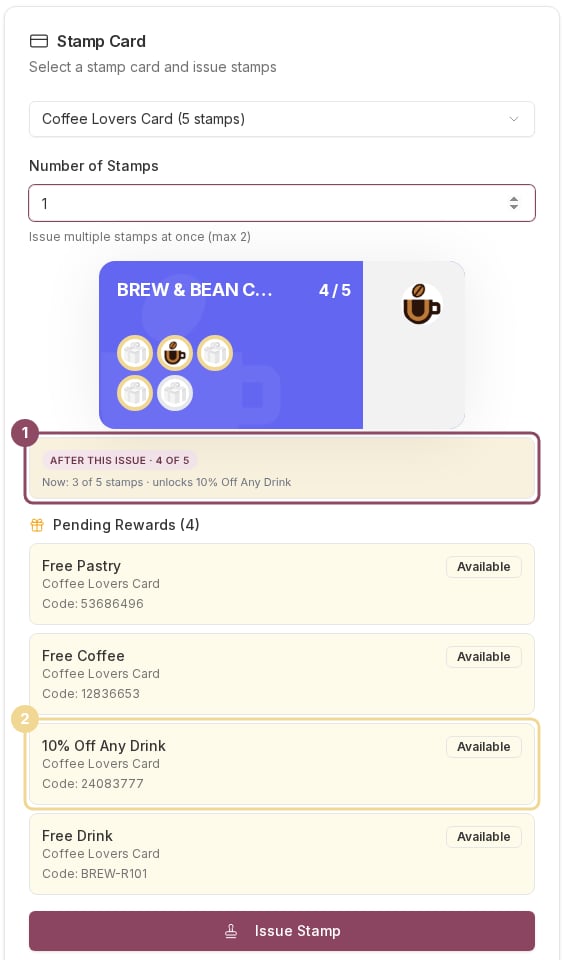
The preview promises 10% Off Any Drink (1), but this customer was issued that same reward on an earlier card and is still holding it (2). Issuing the stamp will not produce a second one.
Stamps a customer earns by scanning in the Qtap app run through a separate rulebook from stamps you issue at the counter, and the two do not treat milestone rewards the same way. Plan your card around the counter rule above, which is the stricter of the two.
A voucher they already hold is not issued twice
The same thing applies to the main reward, for a different reason. A customer can only hold one unredeemed voucher for a given reward at a time. If they fill a second card before redeeming the first Free Coffee, no second voucher is created. The counter screen and their phone can both still name the reward, so check the Pending Rewards list rather than trusting the confirmation. This is only a problem for customers who bank their rewards. Once they redeem one, the next completion issues a fresh voucher as normal.Telling whether someone has finished a card before
Qtap counts completed cards internally but does not show the number anywhere in the dashboard. The closest signal is Total Stamps on the Select Member panel, which is a lifetime count rather than the current card. A figure well above your stamp goal means they have filled the card at least once.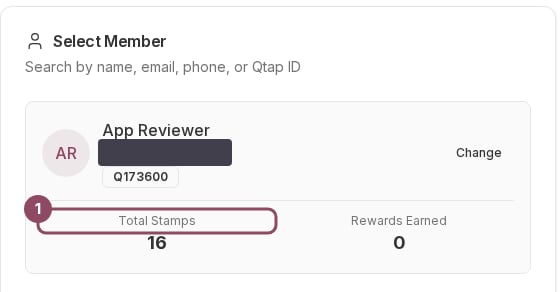
Total Stamps (1) is this customer's lifetime count, not their progress on the current card.