

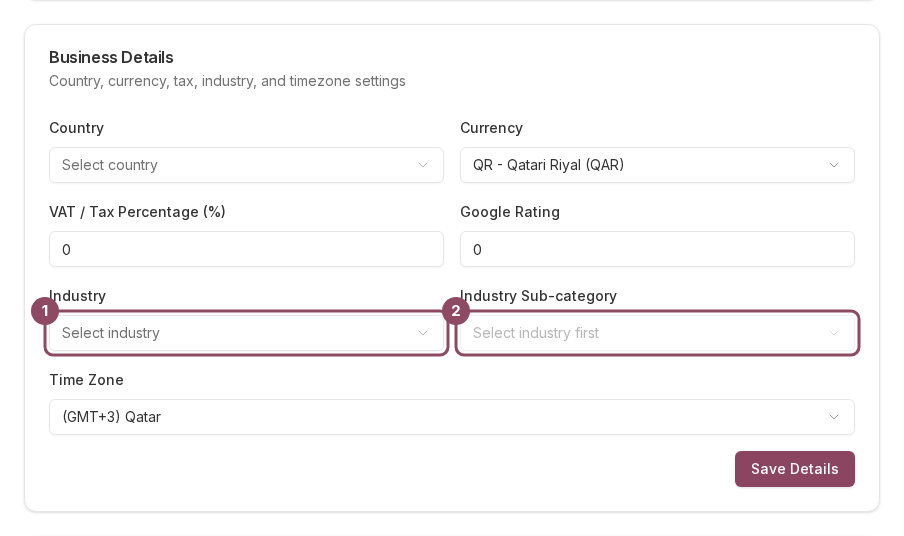
The Business Details card. Industry (1) and Industry Sub-category (2) are the two fields customers feel.
Industry and sub-category put you in a browse category
When a customer opens the Qtap app and taps a category chip, the app matches merchants on these two fields and nothing else. Leave both empty and you only appear under Other. Pick your Industry first. The Sub-category list stays greyed out until you do, and its placeholder reads Select industry first.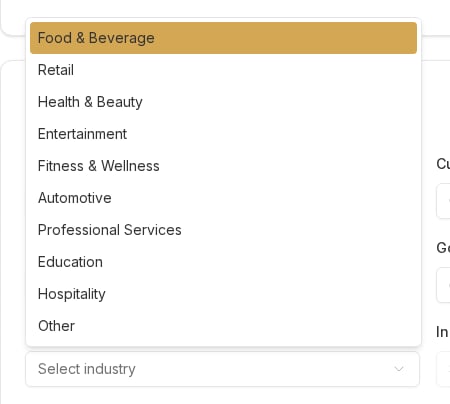
Ten industries. Pick one to unlock the sub-category list beneath it.
Food and Beverage is the one that needs both fields
There is no single Food and Beverage chip in the app. Food and drink businesses are listed under nine narrower chips instead: Cafe, Restaurant, Bakery, Fast Food, Juice Bar, Food Truck, Ice Cream, Tea House, and Bar and Lounge. Each one matches your Sub-category. So a cafe that picks Food and Beverage and leaves the Sub-category blank matches no chip at all and drops into Other. Pick the sub-category too.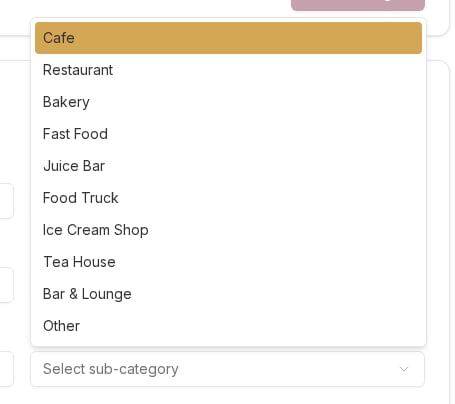
The nine Food and Beverage sub-categories are the chips customers tap. Pick one or you land in Other.
Your page label can disagree with your browse category
The category printed on your page inside the app comes from a different field: the Category you set in the Merchant Page editor. The browse chips ignore that field completely. A merchant who set their Merchant Page category to Bakery and left Business Details empty gets a page that reads Bakery and a listing that only appears under Other. Set both to the same thing.
Two separate rules. The Merchant Page category names your page; only Business Details lists you under a chip.
Fields Qtap stores and does not use yet
Country, Currency, VAT / Tax Percentage, Time Zone, and Google Rating all save, and nothing in the dashboard or the customer app reads them back today. Fill them if you want them on file. Do not expect them to change anything.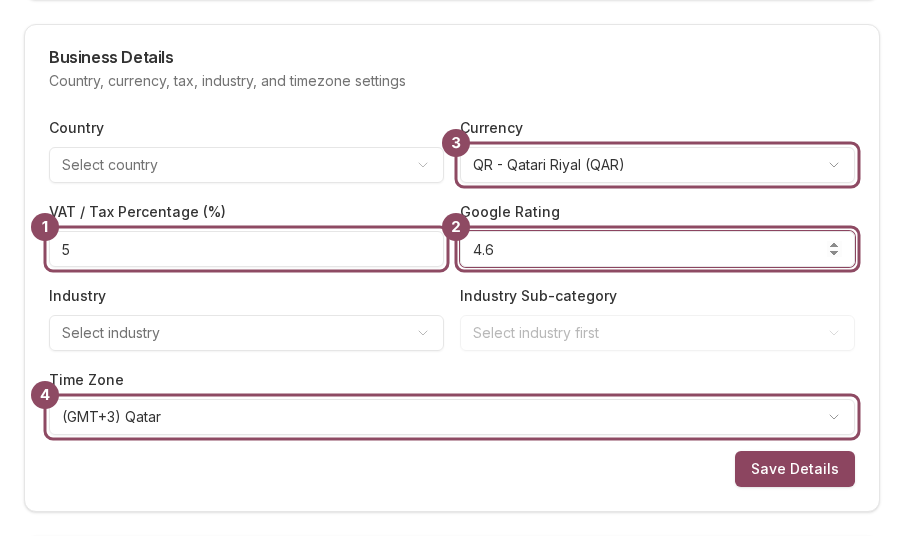
VAT (1), Google Rating (2), Currency (3), and Time Zone (4) save against your account and nothing reads them yet.
Settings is owner-only. Managers and staff do not get this page, so ask your account owner to set your industry.